Makerspace etiquette and shared printer rules are the shared-space conventions that decide who prints next, what you may feed a machine, and how you leave the printer for the person after you. Get them right and a room of eight FDM printers runs like a workshop. Get them wrong and one long print blocks the queue for a day.
This guide covers the rules that matter in practice: reservations, material compatibility, failed prints, cleanup and handover. I have sat in both ends of this, the nervous first-timer reading a laminated sign on the wall and the person who wrote the sign trying to make it enforceable.
Table of Contents
- 1Why Makerspace Etiquette Matters for Shared 3D Printers
- 2Makerspace etiquette and shared printer rules in ten seconds
- 3Shared Printer Rules Every Makerspace Should Put in Place
- 4How Do You Safely Share a 3D Printer?
- 5Materials change what the printer emits
- 6Respect the hot and the moving parts
- 7Know what to do when something goes wrong
- 8Use the supervision rule as written
- 9What Should You Do Before Starting a Print?
- 101. Read the machine, not your screen
- 112. Check the material rule
- 123. Slice for the machine that is actually there
- 134. Estimate the print time from the preview
- 145. Confirm the booking and set a check-back
- 15How Do You Book and Manage a Shared Printer?
- 16What Happens When a Print Fails?
- 17The recovery protocol
- 18The part nobody writes down: telling the queue
- 19How Should Members Handle Filament and Finished Prints?
- 20How Do You Write Clear Makerspace Etiquette Guidelines?
- 21Start with what actually goes wrong
- 22Say who owns the decision
- 23Test the draft with a newcomer
- 24Write consequences in stages, and publish them
- 25Review it quarterly
- 26Frequently Asked Questions
- 27What are the most important makerspace etiquette rules?
- 28How long should a shared 3D printer reservation last?
- 29Can I change a print file or settings after starting a print?
- 30Who should clean a shared 3D printer after a failed print?
- 31Can makerspaces reserve printers for overnight or multi-day prints?
- 32What should I do if someone leaves a print running unattended?
- 33Start With a Shared Printer Checklist
Why Makerspace Etiquette Matters for Shared 3D Printers
A shared printer is the machine everybody wants and nobody owns. Because no single person paid for it, cleaned it or tuned it, the norms that keep it alive have to come from the group instead of a product manual.
Consider what one member doing it right looks like: a reservation that matches the print time, a slice file that fits the machine’s profile, a spool that gets re-hung afterwards, and a note on the shop monitor explaining what ran. Do that every week and the printer keeps its uptime. Do the opposite and the machine needs a technician, and the next four prints wait on a queue nobody can move.
There is a social layer on top too. People on r/FixMyPrint and beginner groups on Facebook post first-time spaghetti failures constantly, and the first question under every one of those photos is the same: what was the machine set to, and what did the operator change? Diagnosis replaces support almost everywhere, because nobody is on duty to diagnose for you. Etiquette is partly a workaround for that.
Makerspace etiquette and shared printer rules in ten seconds
If you read nothing else, these are the ten points every posted sign shares:
- Reserve the machine before you print, even for twenty minutes.
- Reserve for the time your print actually needs, plus a short cleanup margin.
- Use the filament the machine is set up for unless the sign says otherwise.
- Do not change bed leveling, temperature or the stored profile.
- Do not open the enclosure or touch the machine while it is running.
- Stay nearby and available for the whole print unless long-print rules say otherwise.
- Report a jam, a clog or a dirty bed the moment you see it.
- Remove your failed print yourself, fully, before you leave the area.
- Leave the bed, spool and monitor ready for the next member.
- Ask staff rather than guessing when a rule is not written down.
Shared Printer Rules Every Makerspace Should Put in Place
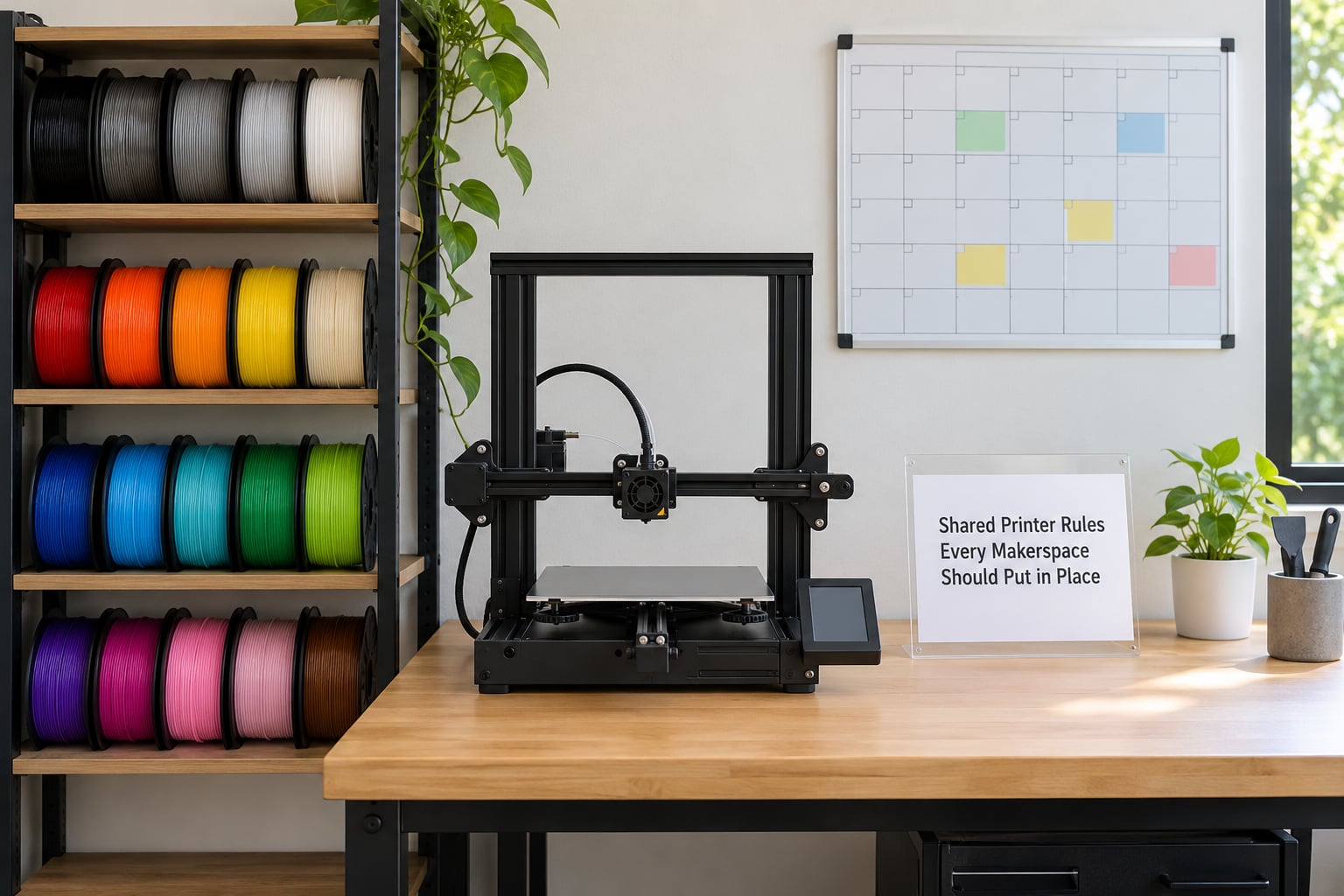
Good shared printer rules are short, numbered and posted at the machine rather than buried in a membership document nobody re-reads. The list below is a workable core policy. The numbers come from the kind of facility that has already had to argue about downtime, so they are deliberately specific.
- Reservation required for every print, no exceptions. Walk-ups wait until the next free slot. It removes most of the awkwardness, because the booking system, not the queue, decides who goes next.
- Book the window your print needs. A typical policy caps single reservations at one to four hours, allows a set number per day and per week, and caps total machine time across a rolling 24-hour period. A long print gets its own booking, not four stacked short ones.
- Leave a 15-minute cleanup buffer. That buffer is part of your reservation, not a gift to the next person. It covers removing the part, wiping the plate and re-hanging the spool.
- One active reservation per member per machine. Where printers are the bottleneck, the only exception is holding a printer slot while operating a different machine.
- A 15-minute grace, then the slot is released. If you are not there and the machine is not running your job, someone else can take the booking. No arguing at the machine.
- Only the sign-off materials list is allowed by default. Everything else needs a staff or volunteer green light. Running PETG or ABS through a PLA machine is how warped plates and clogs start.
- No changes to leveling, tension, stored profiles or firmware. These are the settings the next person is calibrated against. If your file needs different settings, slice for the stored profile instead.
- Monitor, then leave. Bring a laptop, keep the camera feed on your phone, or set up whatever notification the facility uses. Most facilities set a hard limit on how long a job may run with nobody in the building.
- Cleanup is not optional and has a stated standard. Plate clean, spool re-hung, purge bucket emptied, scraps binned, monitor updated.
- State the consequence before the first rule. A written warning step, then lost reservation privileges, then a fee for damaged hardware or wasted filament. Rules with no stated consequence are decoration.
How Do You Safely Share a 3D Printer?
The safety half of sharing a printer comes down to what goes in the machine, what is in the air, and what is moving while you are standing next to it.
Materials change what the printer emits
PLA is the friendly default and every new member starts there. ABS, ASA, polycarbonate and nylon are different: when they print hot, they give off styrene-type compounds and fine particles that a plain desk fan will not clear. Check whether the SDS sheet for that filament is posted at the station. If it is not, ask whether the facility allows the material at all.
The other trap is windows. Open a window in winter and the enclosure cools unevenly, and first-layer adhesion gets worse for reasons that have nothing to do with the person printing. Extraction and a HEPA-filtered unit handle the fumes and recirculate the heat. That is why good facilities specify extraction rather than open air.
Respect the hot and the moving parts
A 0.4 mm nozzle sits far above the temperature that causes a burn in a few seconds, and beds on enclosed machines reach temperatures that startle people. Never clear a jam while the hotend is hot. Do not reach into a moving axis. If the machine is running, the correct etiquette is hands off and a word to whoever has the reservation.
Know what to do when something goes wrong
Facilities vary on the detail, so the sign should say it plainly: for a smoke or burning smell, stop the machine and alert staff; for a jam or clog, stop it and call for help; for anything involving the frame, belts or wiring, do not open it. Silence from a stranger is not a reason to open a machine mid-print.
Use the supervision rule as written
A required induction on the 3D printer area matters more than the one on the laser cutter. You are learning to recognise a failure signature, reset the machine to a known state and leave it safe. Where supervision is required, that means a person who has completed training stays in the room. Where it is not, it means someone is reachable and checks on the print rather than leaving for eight hours.
What Should You Do Before Starting a Print?
Ten minutes of preparation is the difference between a print that starts and a print that runs unattended while you find out it was never going to work. Run this sequence every time on a machine you do not own.
1. Read the machine, not your screen
Look at the posted reservation schedule and the shop monitor. Is your slot next? Did the person before you leave a note saying the nozzle needed changing or the plate is scuffed? The monitor note is the most useful thing on the whole floor and it is the thing most people skip.
2. Check the material rule
Read which filament the machine is approved for, in this order: the sign at the station, the material profile the facility publishes, then what is physically loaded. If the spool loaded is not what you booked, do not assume it was left there on purpose. Ask.
3. Slice for the machine that is actually there
This is the step beginners miss. Download the facility’s profile for that specific printer and open your file against it. Check plate size, nozzle diameter, filament diameter, whether an enclosure profile exists, and the retraction and temperature values. If your model came with profiles from three different printers, you are holding the wrong one.
4. Estimate the print time from the preview
Take the sliced estimate, then add reality: a slow machine on a shared network, a build plate change mid-job, or a first layer that needs three attempts. Book the longer figure. Arriving late on a reservation you underestimated costs more than booking the slot you needed.
5. Confirm the booking and set a check-back
Reserve the machine for the duration plus the cleanup buffer. Then set your own reminder. A phone alarm fifteen minutes before you are meant to be at the printer catches most of the problems that end with someone cutting your slot short.
How Do You Book and Manage a Shared Printer?
Most friction between members is scheduling friction, and scheduling is mostly a matter of three habits: estimate honestly, communicate early and never disappear mid-window.
Book to the rule, not to your hope. If the cap is four hours and your print needs nine, you need an overnight or multi-day booking or a smaller model, not a four-hour booking you intend to extend. Long-print policies usually require a named contact, a phone number left with staff, a file that has already been vetted, and a check-in cadence such as a photo of the screen every few hours.
When you are running over, say so before you hit the threshold. A quick message to the queue saying the job needs another hour lets people reorder their evening. Going quiet and hoping is what gets reservations suspended.
Abandoned reservations are the other problem. If your slice or your filament is not right, cancel the booking immediately and release the slot. A cancelled slot on a shared calendar is worth more to the next person than an empty reservation you forgot about.
Unattended prints are the grey area that causes the most argument, so the written rule has to be specific about three things: how long a print may run with nobody in the room, how the operator gets woken if the machine needs attention, and who pays when an unattended failure fills the machine with plastic that has to be cut out by staff. Facilities that publish that last part in advance get remarkably few arguments about it.
What Happens When a Print Fails?
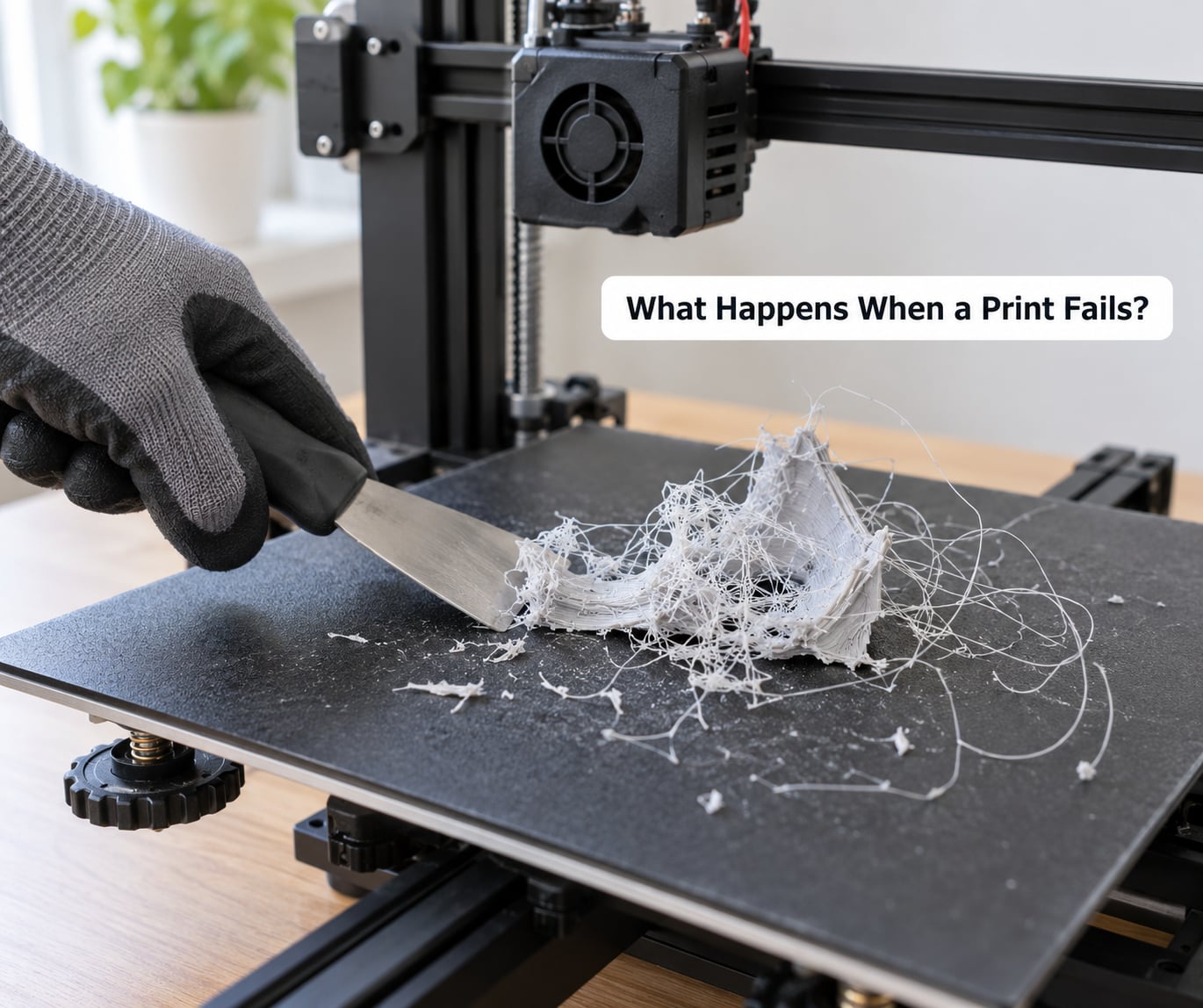
When the nozzle stops laying plastic and starts dragging the stringy mess up and down, the print is finished. It has also just become a physical obstacle sitting on the bed, and the longer it runs the more firmly it bonds itself to the plate. Stop the machine first.
The recovery protocol
- Stop the print immediately. If you are within arm’s reach of the controls, stop it there. If you are not, power the machine off at its own switch rather than assuming somebody else can.
- Cool it down properly. A failed part plus a hot plate plus thin walls is how people burn forearms. Wait for the hotend and bed to reach a touchable temperature.
- Break the piece off in pieces, not in one go. Peel the bulk away with a scraper, then pull the stringy strands off the nozzle one at a time while the nozzle is still warm. They come off far easier warm than cold.
- Clear the bed and the way out. Wipe the plate with the wipe the facility provides, not a wet rag from home. A fingerprint on a PEI or glass sheet is the next print’s first layer problem.
- Look at why it failed before you reset. The first thing to check is the first layer: is it lifted, and is the nozzle too high. Then check the nozzle for a clog and the bed for debris. A part that was fine for two hours and then failed usually means a nozzle problem; a part that failed in minute three means bed or material.
- Reset the machine to a known state. If your failure left anything out of position, restore it and tell the next person what you did.
- Report it on the monitor. One line. What failed, when, and what you observed. This is the highest-value thirty seconds a member can spend.
The part nobody writes down: telling the queue
If other people were waiting, they are owed the information before they ask. A short line at the machine, or a note in the group chat, covers it: your print failed, you are clearing it now, expect the machine free in about fifteen minutes. No apology required, no drama, no explaining at length why your model was ambitious.
And if you are the person waiting, this is the etiquette on your side too. A failed print is a cost every member pays for in one way or another. Give the person their fifteen minutes before you start a countdown.
How Should Members Handle Filament and Finished Prints?
Filament is where most space disputes start, because it costs money and it lives on a shelf that everybody wants. Several simple habits resolve nearly all of it.
Spools belong on the shelf they came from, with the label facing out. If a facility asks members to reload their own filament, learn the difference between desiccant boxes, dry boxes and open storage, and keep dusty spools off open filament, which scratches in the feeder and clogs the nozzle for the next user. Put spool brakes on the active spool. Leave the removed spool labelled and in its place rather than on the bench, and never carry a spool loose across a room where it can unspool.
Scraps go in the facility’s container for the material, not the general bin, and not the recycling stream. A purge tower is waste even though it looks like a print, and it takes up bench space that someone else needs.
Finished prints are a rule people argue about because different spaces land differently. Many facilities want the part taken off the build plate during your session, some let prints stay for collection, and a growing number do not. The sign should say which, in one line. Where prints may be left, label them with your name and the date, because the part sitting on the bench on Monday may not be there on Saturday.
And the small social one: do not pick up, turn over or photograph-at-arm’s-length someone else’s finished work unless you ask. Plenty of first-timers have a part they are genuinely pleased with on that plate.
How Do You Write Clear Makerspace Etiquette Guidelines?
This section is for the person who maintains the space, whether that is a library volunteer, a university technician or whoever holds the binder at a private fab lab. The purpose of written makerspace rules is not control. It is to stop the same three conversations from happening every week.
Start with what actually goes wrong
Write down the ten complaints you have heard most, in the words members use rather than in policy language. Then turn each into one rule with a number attached, a consequence and an exception. A rule a member can picture happening is a rule they can follow.
Say who owns the decision
Every rule needs a name on the other end of it. If nobody on staff can authorise running PETG, then someone will authorise it at two in the morning and you will lose the argument later. List the people who can approve an exception and how to reach them.
Test the draft with a newcomer
Give the rules to somebody who has never been in the space and ask them to explain what they would do at three specific moments: starting a two-hour print, finding a failed part, and walking in to find a machine free but reserved. Every point where they hesitate is a badly written rule, not a careless reader.
Write consequences in stages, and publish them
A verbal reminder first, a written warning second, loss of reservation privileges third, then fees for damaged hardware or wasted material. Publishing the ladder removes the sense of arbitrariness that makes small enforcement feel personal, and it gives your volunteer monitors something to point at.
Review it quarterly
Machines change, materials change and the mix of members changes. Put a review date on the document. The version number matters too, because a member who followed last month’s rule should not be treated as having broken this month’s.
Frequently Asked Questions
What are the most important makerspace etiquette rules?
The five that matter most: reserve before printing, book for the real print time plus a cleanup buffer, use only the materials the machine is approved for, leave bed and spool ready for the next member, and report jams or failures on the monitor before you walk away. Underneath those sit the smaller ones, like not touching a running machine and not moving anyone else’s part. A good sign covers all of them in under a page.
How long should a shared 3D printer reservation last?
Book the sliced print time plus 15 to 20 minutes for cleanup, and round up rather than down. Many facilities cap single reservations at one to four hours and require longer jobs to use an overnight or multi-day booking instead of stacking short slots. If your estimate is longer than the cap allows, that is a signal to scale the model down or split the part, not to plan to overstay.
Can I change a print file or settings after starting a print?
Rarely, and only with staff approval. Stored profiles, bed leveling and temperature values are calibrated for the next user, so changing them mid-job resets what the machine is doing for everyone else. Cutting a print short and starting a new job is normal. Hand-editing the profile the machine is running from is the thing that gets reservation privileges suspended.
Who should clean a shared 3D printer after a failed print?
Whoever was running the print. The next member should not arrive to a plate buried in stringy plastic, and most facilities put that duty on the operator rather than the staff who end up cutting it out. Cool the machine, peel the piece off in pieces, clear the strands while the nozzle is still warm, wipe the plate with the wipe provided, and leave a short note on the monitor.
Can makerspaces reserve printers for overnight or multi-day prints?
Some do, and those that do usually require more than a booking: a contact phone number left with staff, a model already checked on that machine, and check-ins at a stated cadence. Because nobody is watching an overnight machine, the facility usually also states who pays when an unattended failure has to be cleaned up. If the sign does not say, ask before you start rather than after.
What should I do if someone leaves a print running unattended?
Do not stop it. Check the shop monitor and the reservation schedule for who holds the slot, and take a photo if the machine looks wrong. If the reservation has ended and nobody can be reached, tell a monitor or staff member rather than pulling the plug yourself. Stopping a stranger’s print is the fastest way to end up on the wrong side of a policy conversation.
Start With a Shared Printer Checklist
If you only change one habit after reading this, make it the pre-flight. Reserve the correct machine for the correct window, confirm the material is approved for that machine, read the previous operator’s note on the monitor, and leave the printer cleaner than you found it.
Everything else on the list follows from those four. Failures get cleaned by the person who ran them, queues move because slots are released when they end, and the room stays friendly because nobody has to guess what was meant.