Most answers to how much electricity does a 3D printer use start with a wattage number, and that number usually surprises people. A desktop FDM printer pulls 50-150 watts while printing and a resin printer pulls 30-60W, which works out to one to four cents per hour at a typical residential rate.
The confusion starts because most people compare a printer to a space heater. A printer is closer to a desktop computer, and once you see the numbers per operating state, the question answers itself.
Table of Contents
- 1How Much Electricity Does a 3D Printer Use?
- 2How to Calculate a 3D Printer’s Electricity Use
- 3Find the printer’s real draw, not its power supply rating
- 4Three steps to the number
- 5How Much Electricity Does a 3D Printer Use Per Print?
- 6How much electricity does a 3D printer use per hour?
- 7How Much Does It Cost to Run a 3D Printer?
- 8What Affects a 3D Printer’s Power Consumption?
- 9How to Reduce Electricity Use Without Hurting Print Quality
- 10Frequently Asked Questions
- 11Is a 3D printer expensive to run continuously?
- 12Does turning off the heated bed save significant electricity?
- 13How much power does a resin 3D printer use?
- 14Do 3D printers use more electricity while heating or printing?
- 15Should I use a smart plug or energy meter for my 3D printer?
- 16What to Do First
How Much Electricity Does a 3D Printer Use?
Printers consume power in three distinct states, and quoting a single number without saying which state you mean is what makes sources disagree. A machine that reads 850 watts on the meter during heat-up might average 110 watts over the whole job.
| Operating state | Typical draw | What is happening |
|---|---|---|
| P Preheat and startup | 300-1,200W peak | Bed and hotend heaters run flat out until temperature is reached |
| Steady-state printing | 50-150W FDM, 30-60W resin | Heaters pulse to hold temperature while motors and fans run continuously |
| Idle or standby | 2-8W | Screen, mainboard and control electronics stay powered between jobs |
Different machine classes sit in very different places on that table.
| Printer type | Peak draw | Average while printing | Cost per hour at 18c per kWh |
|---|---|---|---|
| Resin (MSLA/SLA), plus curing | 60-120W | 30-60W | Under 1c |
| Entry FDM with heated bed | 400-700W | 70-130W | 1-2.5c |
| Bambu Lab and Prusa class | 500-900W | 100-160W | 2-3c |
| Large-format or enclosed with chamber heater | 800-1,500W | 180-350W | 3-6c |
| Industrial SLS or SLM | Several kW | 2,000-10,000W | 36c to $1.80 |
Community measurements line up with those ranges. On the LulzBot forum, a Mini pulled about 190W while heating, pulsed to a peak near 180W, then settled to roughly 54W at a 50 percent duty cycle. On r/BambuLab, users report around 100W while printing and about 120W for a P1S, with one member measuring near 850W during heat-up before it dropped to roughly 140W once printing began.
How to Calculate a 3D Printer’s Electricity Use
Find the printer’s real draw, not its power supply rating
The wattage printed on the power supply is a maximum, not a measurement. A printer with a 350W-rated supply might average 110W, and a 600W-rated supply on a Bambu machine does not mean 600W of draw. Roughly 10-20 percent of the power entering the supply never reaches the printer, because the 120V-to-24V conversion is lossy, so your meter reads a bit higher than the DC side the machine sees.
Three methods get you a real number:
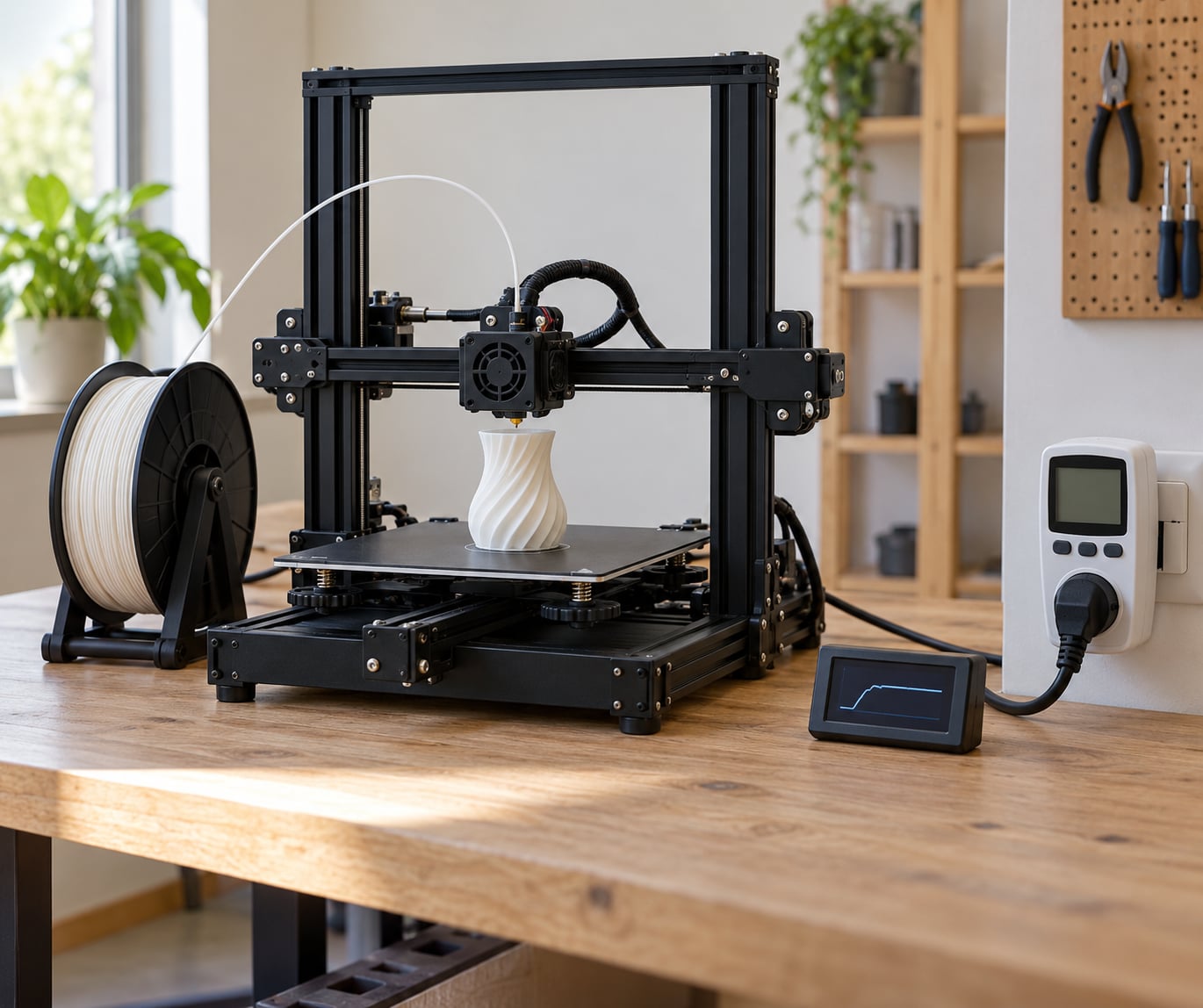
- Plug-in energy meter (Kill-A-Watt style): cheapest and repeatable. Note the reading during preheat, the average during printing, and the idle reading with the machine powered on but idle.
- Smart plug with energy monitoring: the same reading, but it logs over hours or days so a full week of overnight printing becomes visible.
- Inline wattmeter on the heated-bed or hotend heater: isolates one component instead of the whole machine, which is how you attribute wattage.
Sample every five seconds and record at least 500 readings over a full print, which is what the strongest published measurement in this space does. Short readings during preheat badly overestimate the average.
Three steps to the number
First, convert watts to kilowatts by dividing by 1,000. Second, multiply kilowatts by print hours, including the preheat time. Third, multiply kilowatt-hours by your utility rate per kilowatt-hour.
So a 120W printer running a six-hour job draws 0.12kW times 6 hours, which is 0.72kWh. At 18 cents per kWh that is about 13 cents for the whole print. At 30 cents per kWh it is about 22 cents. The formula is small enough to do in your head, which is exactly the point.
How Much Electricity Does a 3D Printer Use Per Print?
The number of hours matters far more than the number of watts. A 10-minute calibration cube and a 30-hour enclosure build use the same machine at the same temperature, and the long build burns hundreds of times the energy of the cube.
How much electricity does a 3D printer use per hour?
- Small PLA benchy at 0.02kW for 30 minutes: about 0.01kWh, well under a cent.
- Eight-hour PLA job at 0.11kW average: about 0.9kWh, roughly 16 cents at 18c per kWh.
- Thirty-hour ABS job in an enclosure at 0.28kW average: about 8.4kWh, roughly $1.50 at 18c per kWh.
Temperature and material push in the same direction. PLA prints around 200C with no chamber heating, while ABS and ASA typically run a 240-260C nozzle with a 60-100C chamber, and nylon needs even hotter. Every degree and every extra heated surface is more heater duty cycle, so a hot material on a machine with a chamber heater can draw triple the power of the same part in PLA.
A UK reader on r/3Dprinting put a meter on a Sovol SV06 Ace, measured 23.86p per kilowatt-hour including VAT, and worked out a 13-minute benchy at 1.21p including warm-up, then roughly 5p per hour. Their conclusion was simply that they would stop worrying about it.
How Much Does It Cost to Run a 3D Printer?
These figures are illustrative US residential rates and change by region and over time, so run them against your own bill. Typical residential electricity in the US sits somewhere between 12 and 30 cents per kilowatt-hour, and the range below uses 18c as the midpoint.
| Usage | Energy | At 12c per kWh | At 18c per kWh | At 30c per kWh |
|---|---|---|---|---|
| 1 hour of printing (110W) | 0.11kWh | 1.3c | 2c | 3.3c |
| 8-hour print | 0.88kWh | 11c | 16c | 26c |
| 24 hours nonstop printing | 2.64kWh | 32c | 48c | 79c |
| One month, 8h per day | 21kWh | $2.55 | $3.85 | $6.40 |
| One month, idle 24/7 at 5W | 3.6kWh | 43c | 65c | $1.08 |
The idle row surprises people most. A printer left powered on all month costs more than a month of eight-hour printing days, purely because the hours are so long. That is the single best reason to add an auto-shutdown or smart plug schedule.
Compared with other appliances, the printer is barely registering.
| Device | Typical draw | 24-hour energy |
|---|---|---|
| 3D printer, printing | 110W | 2.6kWh |
| Desktop gaming PC | 300-500W | 7-12kWh |
| Game console | 100-200W | 2.4-4.8kWh |
| 60W incandescent-equivalent LED bulb | 10W | 0.24kWh |
| Space heater | 1,500W | 36kWh |
| Microwave | 1,000-1,400W while running | A few kWh a month |
One more comparison settles the argument for most people. Electricity is a rounding error next to filament. A 30-hour print might use 8.4kWh, costing roughly $1.50, while the filament for the same job often costs more than that before you count nozzles, wear, and failed prints. A hobbyist who prints a few times a week will typically spend single digits to low tens of dollars per year on electricity, per the cost breakdowns published in the hobby.
For a print farm the framing changes but the ratio does not. Ten machines at 120W running 16 hours a day, 26 days a month, draw 10 times 0.12kW times 416 hours, which is 500kWh a month, or roughly $90 at 18c per kWh. Operators on r/3DPrintFarms quote about 120W per machine as the hourly line item when they price parts, and they are right to.
What Affects a 3D Printer’s Power Consumption?
Most of the draw sits in two heaters. The rest is a small, steady baseline.
| Component | Typical draw | Duty cycle |
|---|---|---|
| Heated bed | 100-250W at temperature | Often 50-100 percent on a cold bed |
| Hotend heater cartridge | 40-100W | Pulses to hold nozzle temperature |
| Chamber or enclosure heater | 100-300W | Runs whenever a high-temp material is loaded |
| Stepper motors | 5-15W each, small fraction under load | Continuous while stepping |
| Part and hotend fans | 2-6W combined | Continuous while printing |
| Mainboard, screen, electronics | 5-20W | Continuous, including while idle |
Beyond the hardware, four things move the number most:
- Technology type. Resin printers have no heated bed and no hotend, which is why a 30-60W resin print costs a fraction of an FDM print. Add a curing station, usually 20-60W for a few minutes, and the gap stays wide.
- Build volume. A larger bed has more surface area to heat and a bigger thermal mass, so both preheat time and holding power rise.
- Print speed and layer height. Faster speeds mean more frequent movement, more fan duty, and more heat pushed into the nozzle.
- Number of machines. This is purely multiplicative. Ten printers idle at 5W each cost more than one printer printing all day.
Ambient temperature matters too. A cold garage makes the bed heater work harder, and running the machine in a warm room in summer lowers the average draw slightly.
How to Reduce Electricity Use Without Hurting Print Quality
Seven measures, ordered by how much they actually save:
- Turn the machine off when it is not printing. Idle draw of 2-8W across a month beats almost every other saving combined. A scheduled smart plug is the easy version.
- Skip the heated bed for materials that allow it. PLA on many machines prints fine without bed heat once levelled, and the bed is usually the single largest consumer.
- Run the lowest temperature profile that works. Follow the filament manufacturer’s temperature range rather than pushing to the top of it.
- Keep the chamber closed and insulated. A well-insulated enclosure holds heat, so the chamber heater cycles less. Users on r/render3 noted that 20-30W can be trimmed by reducing display and mainboard overhead too.
- Shorten prints instead of micro-optimising them. Lowering infill where the design allows cuts both extrusion time and heater time.
- Upgrade the power supply only if you are replacing it anyway. A more efficient supply reduces conversion losses, but the payback on a swap purely for efficiency is poor.
- Batch long jobs and queue them. Fewer, longer runs mean less preheat time per printed part, since preheat is the most expensive state per minute.
Always follow the manufacturer’s temperature and hardware specifications. Disabling a heater or cutting a cable to save a few watts is a bad trade against print failures and safety.
Frequently Asked Questions
Is a 3D printer expensive to run continuously?
No. At 110W average, running 24 hours a day uses about 2.6kWh, which is roughly half a dollar a day at 18c per kWh and under 16 dollars a month. Set against a space heater at 1,500W, the printer uses about one-seventh as much. The only case where a printer approaches noticeable cost is a large enclosed machine printing hot materials for hundreds of hours a month.
Does turning off the heated bed save significant electricity?
It saves less than most people expect. The bed typically holds between 100 and 250W, but only after the initial heat-up, and its share of the total depends on the bed size and how cold the room is. During printing, the hotend, motors, fans and electronics often add up to more than the bed. The bigger saving is switching the whole machine off when you are not printing.
How much power does a resin 3D printer use?
A desktop MSLA or SLA resin printer draws roughly 30-60W while printing, because it has no heated bed and no hotend. Exposure takes seconds to minutes at most, and the LCD backlight dominates the draw. Post-processing curing adds a short burst at around 20-60W. Over a full job including washing and curing, resin printing costs a fraction of what the equivalent FDM print uses.
Do 3D printers use more electricity while heating or printing?
Per minute, heating uses far more. Preheat can spike to 300-1,200W while the bed and hotend reach temperature, but it lasts a few minutes. Steady-state printing averages 50-150W. That is why an 850W reading on your meter does not mean an 850W print, and why short jobs have a higher average draw per hour than long ones.
Should I use a smart plug or energy meter for my 3D printer?
Use an energy meter if you want to know your printer’s real draw and the power supply rating is unclear to you. Use a scheduled smart plug if your main goal is cutting idle consumption. A smart plug with energy monitoring does both, logs usage over days, and lets you shut the machine down when a queue finishes. Follow your printer’s own power recovery settings so it resumes cleanly after a power cut.
What to Do First
Find your machine’s rated wattage on the power supply label so you know what you are not measuring, then plug a meter into the wall outlet and read it three times: during preheat, during printing, and while idle. Write the print duration down, divide your average watts by 1,000, multiply by the hours, and take that kilowatt-hour figure to your latest bill to get your own rate per kilowatt-hour. Once you have your real numbers, the cost of any print you queue next is a two-minute calculation.