Delta 3D printers move a very light print head with three arms instead of sliding a bed around, and that single design decision buys you fast motion, a tall build area and a bed that never moves. It also costs you a calibration routine with more variables than any other printer layout, which is why delta 3D printer pros and cons almost always end in the same sentence: mechanically better, fussier to live with.
I have watched plenty of first-time owners fall in love with the speed and then lose a weekend to test cubes. This guide is meant to save you that weekend.
Table of Contents
- 1Delta 3D Printer Pros and Cons at a Glance
- 2How a Delta 3D Printer Works
- 3What Are the Main Delta 3D Printer Advantages?
- 4The bed never moves
- 5Low moving mass and quick acceleration
- 6Tall vertical build height
- 7A small footprint that can grow
- 8Fewer failure points in daily use
- 9Good overhangs and strong parts
- 10Delta 3D Printer Disadvantages and Limitations
- 11Calibration is the real cost
- 12Circular or triangular build volume
- 13A thin parts and support ecosystem
- 14Enclosure and material limits
- 15A steep learning curve for beginners
- 16Effector weight creeps upward
- 17Print Quality, Accuracy, and Fine Detail
- 18Speed and High-Volume Production
- 19Build Volume and Printable Object Shape
- 20Calibration, Maintenance, and Reliability
- 21Delta vs. Cartesian 3D Printers
- 22Which Delta 3D Printer Is Right for Your Workflow?
- 23Frequently Asked Questions
- 24Are delta 3D printers more accurate than Cartesian printers?
- 25How fast is a delta 3D printer compared with other types?
- 26Does a delta 3D printer need frequent calibration?
- 27Can delta 3D printers make small detailed parts?
- 28Are delta 3D printers good for beginners?
- 29What materials can a delta 3D printer use?
- 30Conclusion
Delta 3D Printer Pros and Cons at a Glance
| Factor | Delta | Cartesian bed-slinger | CoreXY |
|---|---|---|---|
| Print speed | High potential, print speed and travel both fast | Modest; bed is heavy and slows rapid moves | High, lightweight gantry |
| Print quality | Very good when geometry is correct | Very good, simpler to reason about | Very good |
| Build volume shape | Triangular or cylindrical, tall in Z | Rectangular, wider and shallower | Rectangular, wide and flat |
| Stability over time | Sensitive to effector weight and joint play | Stable once assembled | Stable, belts need occasional tensioning |
| Maintenance | Geometry checks, arms, ball joints, belts | Bed levelling, belts, occasional re-tension | Belt tension, lubrication |
| Noise | Moderate; steppers move together, fans dominate | Louder during travel as the bed swings | Moderate, quiet on short travels |
| Running cost | Similar electricity, higher spares and tuning time | Lowest | Low to moderate |
| Best fit | Tall parts, prototypes, batch runs, classrooms | First printers, enclosures, detailed small work | Fast flat parts, enclosures, general work |
Read that last row first. Everything else is a trade-off inside it.
How a Delta 3D Printer Works
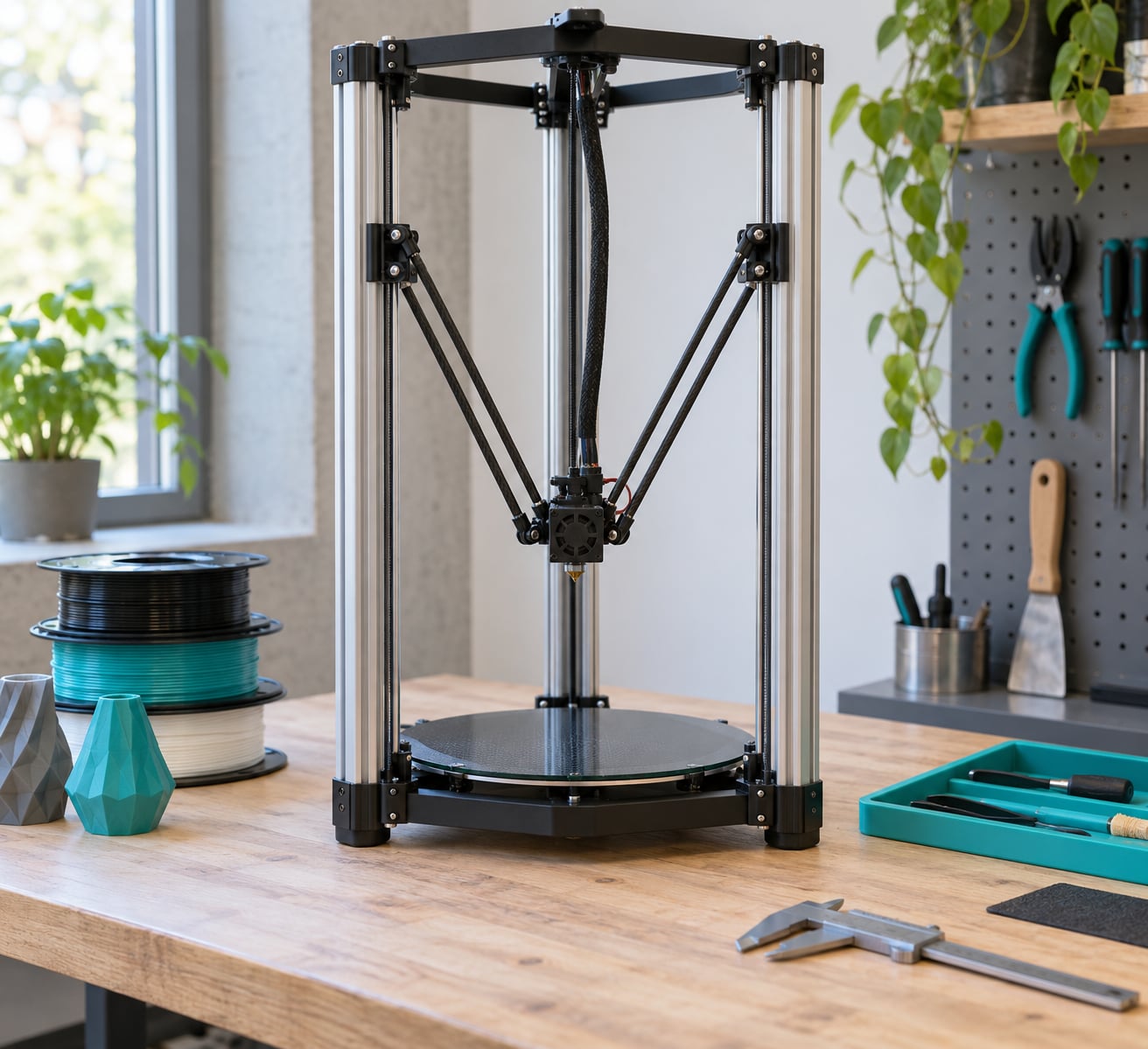
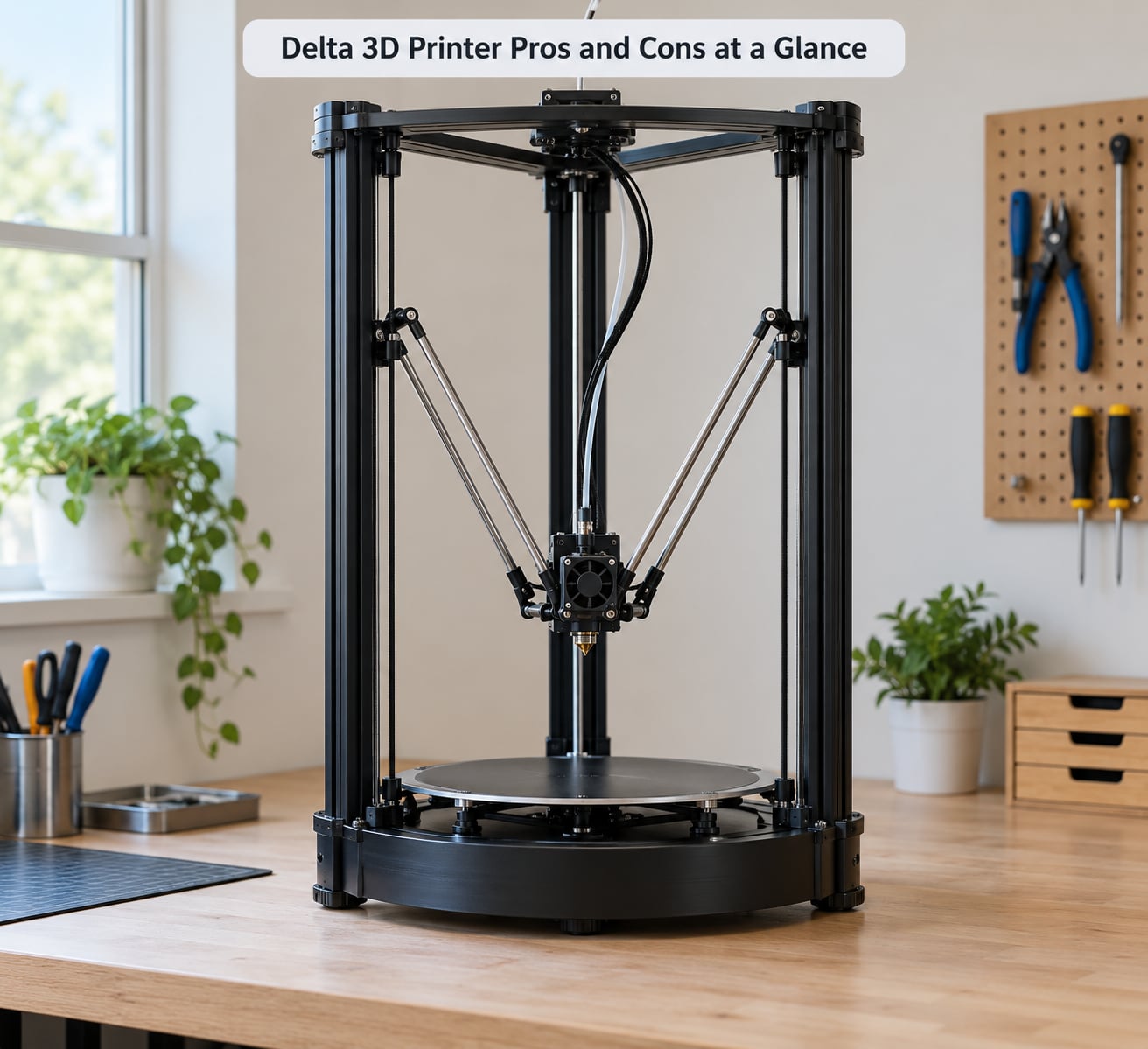
Three stepper motors ride up and down vertical aluminium towers. Each one carries a carriage, and each carriage is tied to the print head by two diagonal arms, so six arms in total converge on a single effector holding the hotend and fan.
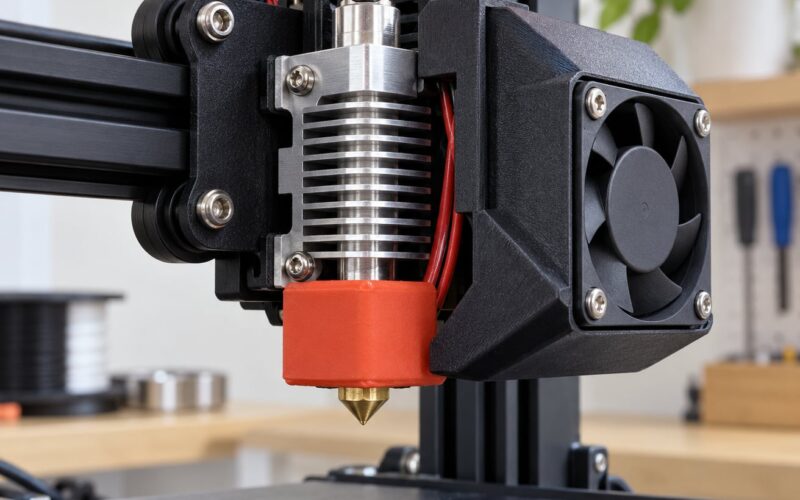
The effector is where the mass story starts. A bed-slinger has to accelerate a heated aluminium plate and everything on it. A delta accelerates the hotend assembly, sometimes under a kilogram of it, and that is the mechanical reason delta machines can reach high travel speed and recover quickly from direction changes.
Because the head is positioned by three vertical towers working together, the firmware has to solve for each move. Given a target X, Y and Z, it calculates the carriage height on all three towers. That is why delta machines carry named geometry values such as delta radius, arm length and tower angle, and why those values have to be measured rather than guessed.
What Are the Main Delta 3D Printer Advantages?
The bed never moves
No Y rails to sag, no belts to slacken, nothing heavy to shake the first layer. A fixed heated bed also means you can mount a camera above it or a heavy spoilboard below it without rethinking the whole frame.
Low moving mass and quick acceleration
This is the real speed advantage, and it shows up most in travel moves and short segments. A delta reaches its target speed and stops again without fighting inertia, so gantry-free printers rarely waste time on ringing at the end of a move.
Tall vertical build height
A 300 mm tall delta often lives inside a footprint smaller than a 220 mm Cartesian frame. Vases, columns, lamp shades and helmet props are printed in one piece at full height, because the geometry leans into them instead of fighting them.
A small footprint that can grow
Delta frames scale in a way Cartesian gantries do not. Tall towers, a bigger effector and a longer bed turn a kit into a larger machine, which is why several manufacturers build one frame for several sizes.
Fewer failure points in daily use
There is no bed to crash. A failed print stops at a nozzle height error rather than a gantry slamming into a warped plate. On a machine left running overnight in a classroom or workshop, that reliability matters more than most buyers expect.
Good overhangs and strong parts
Nothing about a delta changes overhang support, but the tall Z axis lets you print awkward geometries vertically rather than tilting them. Vertical orientation also tends to give stiffer parts than printing a long part flat.
Delta 3D Printer Disadvantages and Limitations
Calibration is the real cost
Forum threads on this topic are dominated by one frustration: probing, recalibrating and printing test cubes, over and over. Marlin’s G33 and Klipper’s delta_calibrate measure the geometry with a probe and store the result, but the solution drifts as effector weight changes and joints loosen.
That is the honest headline of the delta 3D printer pros and cons list. A delta does not need levelling because it has no moving bed. It needs something arguably harder.
Circular or triangular build volume
The usable area is the triangle or cylinder inside the towers. A part that fits a 200 mm square bed may simply not fit, and you cannot place long flat plates across the back corners the way you can on a Cartesian machine.
A thin parts and support ecosystem
Replacement hotends, carriages, effector covers and arm assemblies are less available than Ender and Prusa spares. Firmware support is narrower too, though Marlin and Klipper both handle delta machines well if your board supports them.
Enclosure and material limits
A tall open frame is awkward to enclose and hard to heat. That makes ABS, ASA and nylon harder to print than on a closed Cartesian or CoreXY machine, and it means warping shows up more often on tall prints.
A steep learning curve for beginners
Owners describe the same arc repeatedly: it printed badly, it collected dust, then after one manual calibration it worked well. The machine is not exotic, but it asks a first-time owner to learn a skill they did not know they needed.
Effector weight creeps upward
Every new fan duct, extruder change or sensor quietly adds mass to the effector, and effector weight is exactly what a delta calibrates against. Speed drops and geometry drifts follow, and most owners do not connect the two.
Print Quality, Accuracy, and Fine Detail
Deltas are not inherently less accurate than other printers. When the geometry values are right, dimensional accuracy matches good Cartesian machines and verticality is excellent, because the towers are rigid and short travel paths limit racking.
Where deltas struggle is at the edges of the build area and in tall prints. Near the printable radius, small geometry errors get amplified, and first-layer adhesion often drops off toward the rim. A tall thin part can also show a wobble that a flat bed would not, since the effector has to fight gravity at the top of the Z axis.
Surface finish is usually the quietest of the three architectures. With no gantry mass to stop and start, ringing and ghosting are less pronounced, so higher acceleration settings tend to look safer.
Four things decide whether you get that quality: rigid arms, correct arm length, clean ball joints, and honest settings. Verify the geometric measurements in your firmware before blaming the slicer.
Speed and High-Volume Production
Advertised speed on delta listings usually means maximum travel speed, not a realistic print speed. Those are different numbers and buyers regularly compare them by mistake.
| Speed measure | What it tells you | What it hides |
|---|---|---|
| Max print speed | Highest head speed during extrusion | Most of the time is spent slower than this |
| Max travel speed | How fast the head moves between features | Whether the machine can hold that speed under load |
| Max acceleration | How quickly it changes direction | Ringing and layer time if set too high |
In practice a delta still needs sensible acceleration, input shaping, a light effector and well-tuned steps per millimetre. Set those properly and a fast delta genuinely outperforms a bed-slinger on tall parts and on long batch runs, where the bed would otherwise be dragged side to side. Set them badly and no architecture saves you.
Build Volume and Printable Object Shape
Delta build volumes are quoted as a height and a printable diameter or side length, not as a rectangle. That single formatting difference hides real consequences: the corners of a rectangular volume simply do not exist.
The shape works in your favour for tall, narrow or cylindrical parts. A 400 mm column that would need two halves on a shallow bed prints in one piece here, and a stack of identical jars occupies the round plate efficiently instead of leaving dead corners.
It works against you for small parts. Tiny components print near the centre of the plate at the resolution the effector can hold, but the geometry error that shows up as a tall wobble at the rim also shows up as a first-layer problem at the edge. Small, detailed work is possible, though a well-tuned CoreXY or Cartesian machine usually gets there with less fuss.
Calibration, Maintenance, and Reliability
Calibrating a delta in plain terms runs in five steps: home the towers, probe the effector across a grid, solve the geometry, verify with a test pattern, then print a cube. Marlin calls the grid step G33, Klipper calls it delta_calibrate. Either one needs a probe, and both benefit from more sample points than the default.
Be honest about the time. Owners report anywhere from an evening to a full weekend to reach consistent first layers on a new delta, depending on how square the frame is out of the box and how good the probe is. A comparable Cartesian is usually printing good parts the same afternoon.
Routine maintenance has four parts. Re-check effector weight and retighten anything you added. Inspect ball joints for play, which is the most common cause of a bed that looks flat but prints badly. Check belt tension on the towers. And re-run geometry calibration after any hotend or extruder swap.
One warning worth repeating from the forums: a controller or firmware upgrade can wipe stored geometry values, and the next homing move drives the effector into the bed. Note your delta parameters before flashing anything.
Delta vs. Cartesian 3D Printers
| Factor | Delta | Cartesian | CoreXY |
|---|---|---|---|
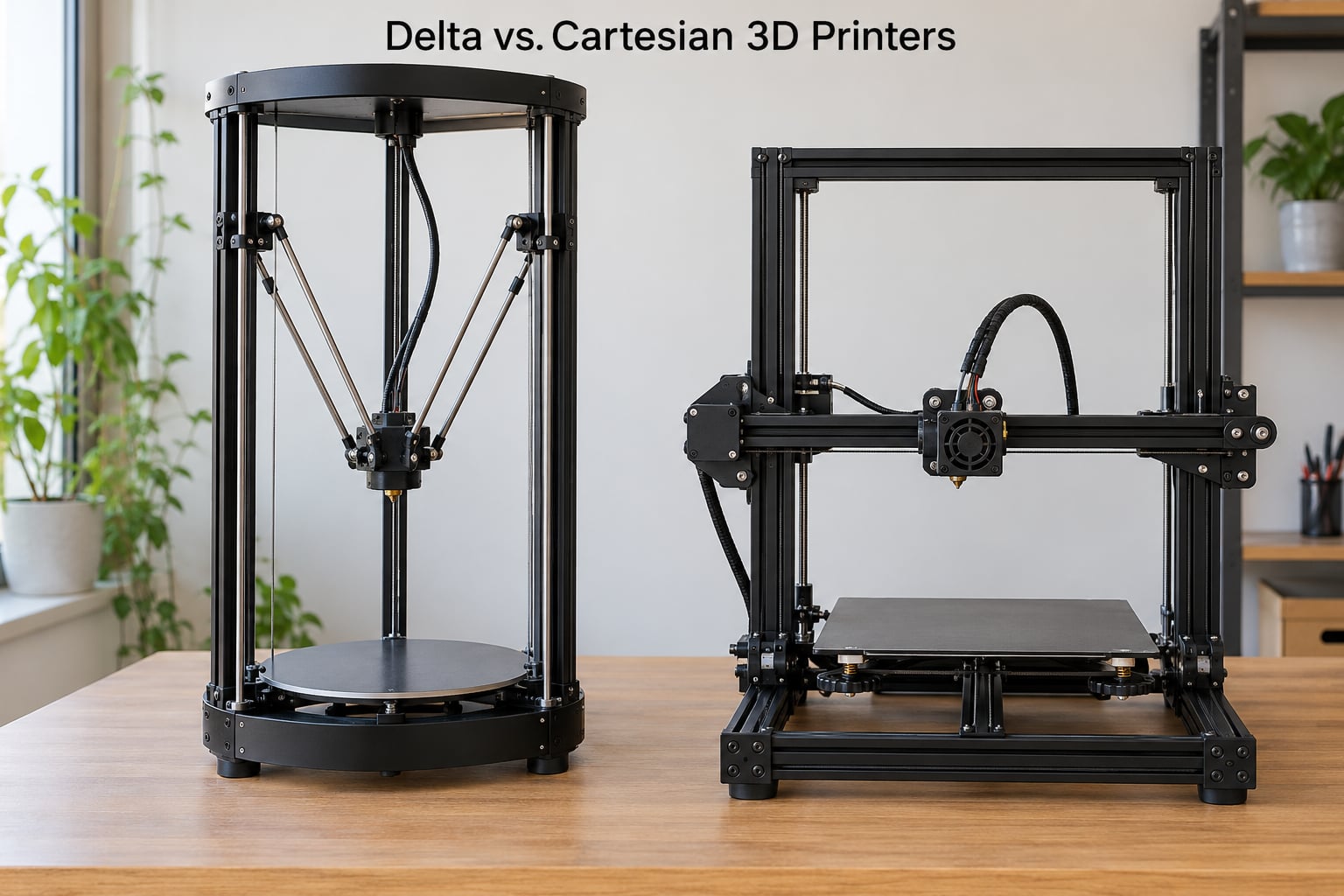
| Moving mass | Hotend only | Bed plus build plate | Light gantry |
| Calibration variables | Several: radius, arms, towers, height | Bed level and Z offset | Bed level and Z offset |
| Build shape | Triangular or round | Rectangular | Rectangular |
| Typical speed | High | Moderate | High |
| First layer | Good centrally, weaker near the rim | Even across the plate | Even across the plate |
| Maintenance | Geometry, arms, joints, belts | Levelling, belts, Z backlash | Belt tension, lubrication |
| Enclosure and engineering materials | Difficult | Straightforward | Straightforward |
| Parts and community support | Narrower | Very wide | Wide |
| Skill level | Intermediate to advanced | Beginner friendly | Beginner to intermediate |
If you want one sentence: buy the delta for tall parts, real speed and a small footprint, and buy the bed-slinger for a first printer, an enclosure, or parts you have to print to a known tolerance on day one. CoreXY sits between them and is the safest general-purpose choice.
Rarity is worth addressing directly, since it comes up in almost every discussion thread. Delta printers are uncommon on shop shelves because they serve a narrower set of jobs, not because the architecture is a dead end. The mechanism is decades old and well understood by the firmware that runs it.
Which Delta 3D Printer Is Right for Your Workflow?
Delta printers suit makers who print tall parts, engineers running quick prototypes, classrooms where one machine needs to serve many students, and small batch work where every saved minute compounds across the run.
They suit you less if you are buying your first printer and want reliable results on day one, if you work in ABS, ASA or nylon and need a heated chamber, or if you print small precision parts where a wide flat bed is more useful than height.
Before you commit, check five things. Build volume against the largest part you actually make. Whether auto levelling and a probe are included, not promised. How easy calibration is from the firmware you will run. Whether spare arms, carriages and hotends exist for that model. And what your running cost looks like: electricity and filament are comparable across architectures, but delta machines add calibration time and consumable joints to that total.
Frequently Asked Questions
Are delta 3D printers more accurate than Cartesian printers?
When the geometry is calibrated correctly, a delta printer matches a good Cartesian machine on dimensional accuracy and often beats it on verticality, because the towers are rigid and the effector travels short distances. Where deltas lose points is at the printable radius, where small geometry errors amplify, and in very tall parts. Accuracy here comes down to calibration quality and effector weight, not to the architecture itself.
How fast is a delta 3D printer compared with other types?
A well-tuned delta is faster than a bed-slinger, because the bed-slinger accelerates a heavy heated plate while the delta accelerates only the hotend. The gap is largest on travel moves and short segments, and much smaller on a long single part where printing speed dominates. Listed maximum speeds usually describe travel rather than real printing, so compare realistic figures before deciding.
Does a delta 3D printer need frequent calibration?
Not constantly, but more often than a bed-slinger needs levelling. Expect a geometry check every few months, and immediately after any hotend, extruder or effector change, since added mass is exactly what the calibration measures. Wavy first layers, a failing test cube or a sudden drop in top speed are all signs that a recalibration is due.
Can delta 3D printers make small detailed parts?
Yes, though it is not where they shine. Small parts print near the centre of the plate where the effector holds the best accuracy, and the light moving mass makes fine features easy on the machine. If your work is mostly small components, a CoreXY or Cartesian printer with a flat bed gives a more even surface to print across and usually needs less tuning.
Are delta 3D printers good for beginners?
They can be, but they are a poor first machine for most people. There is no bed to level, which helps, yet the geometry calibration involves more variables and more probing, and first prints usually take longer to dial in. Choose a delta first if you want to learn printer mechanics. Choose a bed-slinger first if you want to make good parts this weekend.
What materials can a delta 3D printer use?
PLA, PETG and TPU all print well on a delta, subject to extruder capability. ABS and ASA work but need a heated or enclosed chamber, which a tall open delta frame resists, so expect warping on tall parts. Nylon needs an all-metal hotend and, ideally, a chamber as well. The material limits come from the frame shape, not the motion system.
Conclusion
The delta 3D printer pros and cons come down to one decision: are you willing to calibrate a machine regularly in exchange for speed, height and a fixed bed? If the parts you make are tall, repetitive or large, the trade pays for itself quickly. If this is your first printer or your work needs an enclosure, a Cartesian or CoreXY machine will serve you better.
Evaluate five things before you buy: the build volume you need, how well the motion system is made, how easy the calibration workflow is, what maintenance it asks for, and whether the parts you produce fit the shape of the build plate.