Start with three places: Printables, Thingiverse and MakerWorld. Between them they hold most of the free STL files for printing you will ever need, from printer spare parts to articulated toys and tabletop terrain. Add Thangs and Cults3D for search that cuts across libraries, and you have most of a working library covered before you print a single layer.
That matters because the catalogue problem is real. People routinely spend half an hour site-hopping and still end up with nothing printable. My rule is simple: learn two or three sources well, learn how to spot a bad file in ten seconds, and skip the rest.
Every list here was last checked in October 2026. Sites change ownership, drop file formats and redesign search often enough that a dated list is worth little, so I note what each one is actually good at rather than just listing names.
Table of Contents
- 1Where to Find Free STL Files for Printing: At a Glance
- 21. Printables for Ready-to-Print Models and Community Remixes
- 32. Thingiverse for Open Community Models
- 43. Thangs for Searchable Models and Easy Sharing
- 54. MakerWorld for Printer-Specific Creations
- 65. Cults3D for Artistic, Decorative, and Functional Files
- 76. MyMiniFactory for Miniatures, Figurines, and Tabletop Models
- 87. Thingiverse Alternatives: Thangs, MakerWorld, and Printables Compared
- 98. FreeCAD and OpenSCAD for Parametric and Customizable Models
- 109. GitHub for Open-Source STL Repositories
- 1110. Public Repositories from Universities and Museums
- 1211. Government and Open Educational Resources for Printable Projects
- 1312. Manufacturer, University, and Community File Collections
- 14How to Check an STL File Before Printing
- 15Frequently Asked Questions
- 16Are STL files free to download and print?
- 17What is the best website for finding free STL files?
- 18Can I edit an STL file before printing it?
- 19How do I know whether an STL file will print successfully?
- 20Can I use a free STL file commercially?
- 21Why does my downloaded STL file need repair in the slicer?
- 22The Short Version: Start With Three Sites and Vet Before You Print
Where to Find Free STL Files for Printing: At a Glance
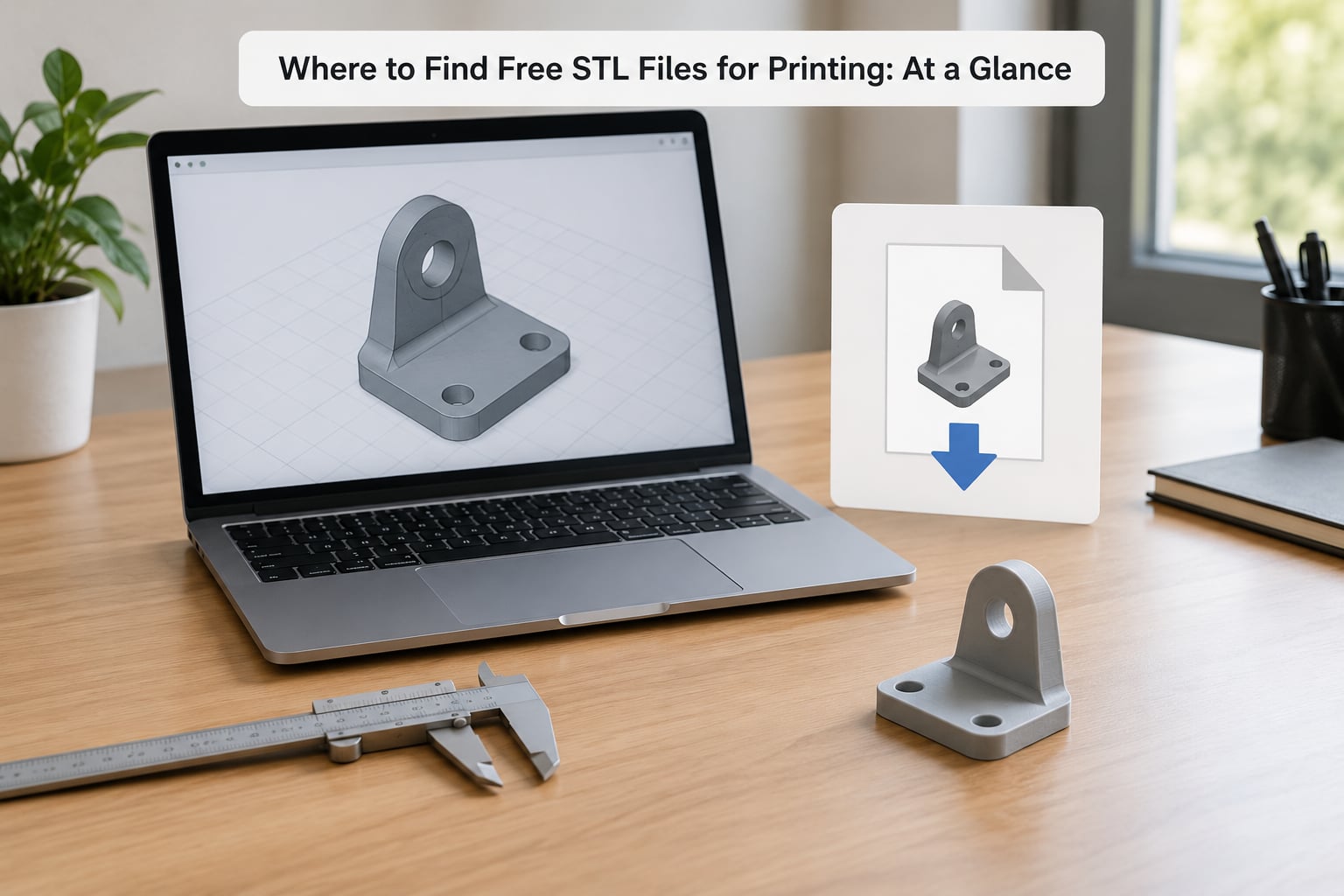
The table below is the short version. Read across for source type, best use case, the formats you get, whether a licence is stated, and who each one suits best.
| Source | Type | Best for | Typical file types | Licence shown? | Suits |
|---|---|---|---|---|---|
| Printables | Community repository | Functional parts, remixes, printer mods | STL, 3MF | Yes, per model | Most makers |
| Thingiverse | Community repository | Large eclectic catalogue, customization | STL, OBJ, 3MF | Varies | Hobbyists and remixers |
| Thangs | Search and sharing | Finding parts that match a spec | STL, STEP | Rarely | Searchers |
| MakerWorld | Manufacturer community | Models tuned for one printer brand | STL, 3MF | Yes, per model | Bambu Lab and Creality owners |
| Cults3D | Marketplace with free section | Decorative and artistic models | STL, OBJ | Usually | Sculpture and gifts |
| MyMiniFactory | Curated repository | Miniatures, figurines, tabletop | STL | Yes | Resin and tabletop printers |
| FreeCAD / OpenSCAD | Parametric CAD projects | Models you edit before printing | FCStd, SCAD to STL | Yes, usually open source | People who like tweaking |
| GitHub | Code and file hosting | Open-source hardware projects | STL, STEP, source CAD | Yes, LICENSE file | Hackers and hardware people |
| University and museum libraries | Institutional archive | Scientific and historic models | STL, PLY, OBJ | Often public domain | Students and educators |
| Open educational resources | Government and library | Classroom kits and accessibility aids | STL, PDF plans | Usually | Teachers and libraries |
| Manufacturer collections | Brand file library | Spare parts tuned to a machine | STL, 3MF | Varies | Owners of that printer |
| Social channels | Community channels | Requests, niche finds, local groups | Whatever gets posted | Unclear | People who ask well |
1. Printables for Ready-to-Print Models and Community Remixes
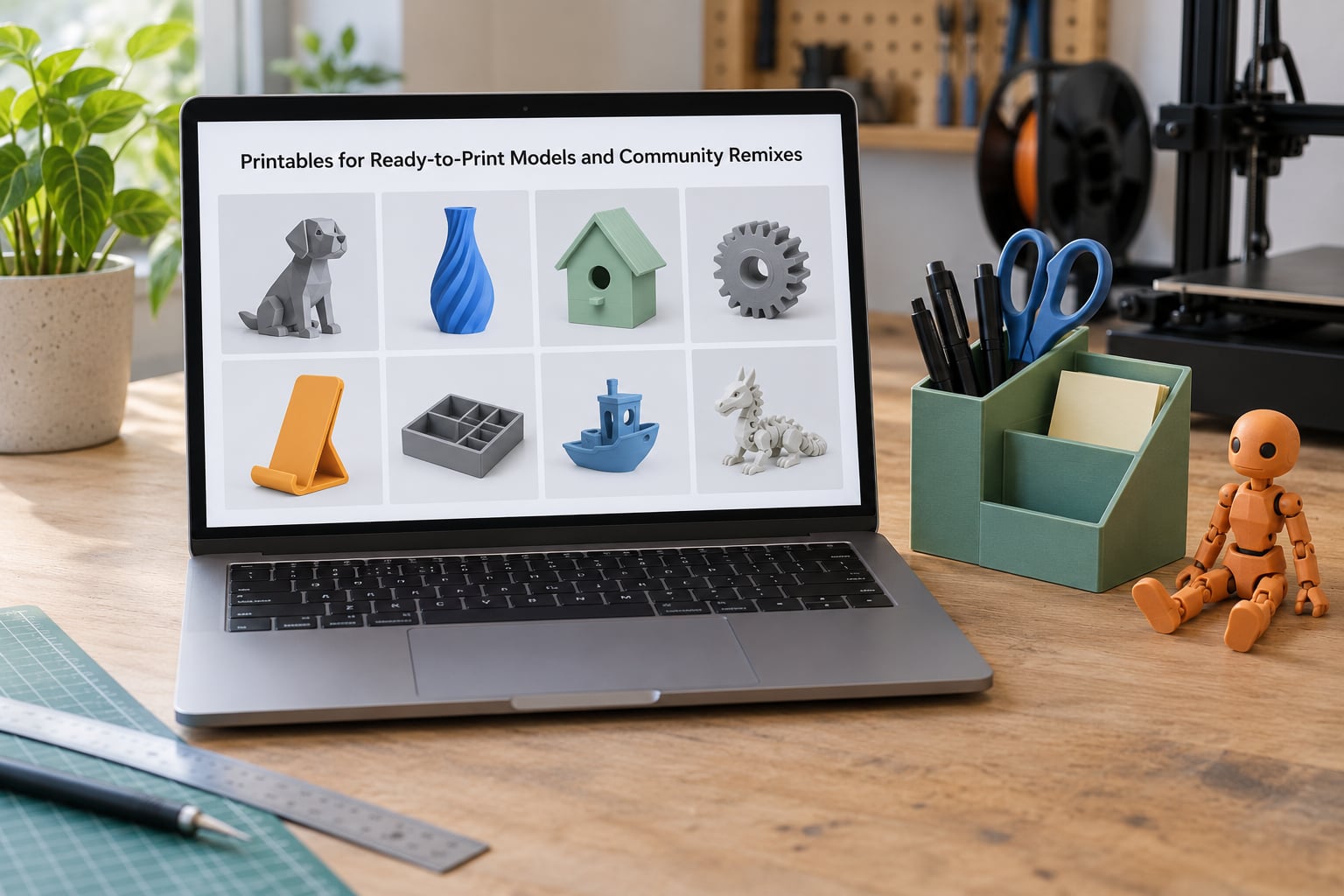
Printables is where I send most people first, because it rewards exactly the behaviour that makes a model trustworthy: printing it and posting a photo. Every model page shows the photos other makers uploaded, the remixes built on it, and an estimated material use and print time before you commit.
Search and filtering are the best part. You can narrow by printer technology, material, print time, post-processing needs and licensing, then sort by makes, likes or newest. When you want a cable tidy that fits a specific drawer, filtering out anything that needs twenty hours of support material saves the whole evening.
Look for the categories that repeat: organizers, tool wall mounts, adapters for one printer model, and articulated animals and figures. The articulated category is the reason the site grew. Each maker posts a photo of the finished print at several hinge angles, so you can see the tolerances before you try.
Two things to verify before printing. Check that the uploader’s photos show the actual part rather than a render, and read the comments for the ones that failed, because people are candid there about a loose fit or a layer shift. Licensing is stated per model, so note it if you might sell prints.
2. Thingiverse for Open Community Models
Thingiverse remains the deepest single catalogue of free STL files for printing, with a long tail of small parts and odd fixes that nobody else bothered to upload. If you need a bracket for a specific machine or a replacement knob from a five-year-old printer, this is often the only place it exists.
Customization is the other draw. You can open a model in the browser, change one dimension, and download the result without installing anything. That is how most people resize an STL file now, and it is genuinely quicker than learning FreeCAD for a single tweak.
Useful search terms are specific rather than aspirational: the printer model and part name, the machine a tool is designed for, or a measurement like the bore diameter. Searching “holder” gets you noise, searching “MK4 belt tensioner” gets you the part you need.
Two checks matter here. Quality swings wildly, so read the photo count and the comment thread before downloading a file that claims to be a test print. And check the licence yourself, because licensing history on older models is inconsistent, and older uploads are the ones people assume are freely reusable.
3. Thangs for Searchable Models and Easy Sharing
Thangs works less like a library and more like a search engine over models, with a strong bias toward parts you can actually measure. Query language is unusually good for this: you can filter by colour, size range and file type, and results carry enough metadata to know the scale before downloading.
The sharing side is the part people underuse. You can drop a QR code or a short link into a project notebook so the next person builds the same thing, and collections group models into a set rather than a single file. For anyone documenting a build, that is tidier than a folder of filenames.
It is the fastest way to find a part that matches a spec. If you know the bore size, the wall thickness or the thread, filtering beats scrolling. The gap is licensing: most models here carry no explicit licence statement, so treat anything commercial with care.
4. MakerWorld for Printer-Specific Creations
MakerWorld is the place to go when your printer’s own ecosystem has a tuned answer. Many models arrive as a project file with print settings already chosen, which removes most of the guesswork for support-heavy shapes and multi-material swaps.
The slicing links matter more than they sound. Open a model in the browser and you can send it straight to a slice, tweak layer height and infill, then start or queue the job without importing anything into your own software. For a lot of makers that is the whole workflow.
Profiles matter too. A profile is the printer-specific setup, and a model that assumes a different brand’s profile may come out wrong on yours, especially where nozzle clearance or plate sizes differ. Check what printer the model was made for before you start a long job.
The honest criticism is volume versus quality. A lot of uploads look finished in a thumbnail and fall apart on the plate, so read the maker’s own photos and the failed-print comments. Bambu Lab and Creality owners will get the most out of it because first-party profiles are strongest there.
5. Cults3D for Artistic, Decorative, and Functional Files
Cults3D skews artistic. If you want a sculptural piece, a lamp, a vase or a decorative object that looks designed rather than printed, this is where the work is, and a good share of it is genuinely free.
It is a marketplace, so be deliberate about what you are opening. Free models sit alongside paid ones in the same browsing flow, and the paid listings dominate visually. Look for the free label before you commit to a download, then read the author notes, which are unusually detailed here and often state the material, print orientation and the support the model needs.
Dimensions are the other thing to check. Decorative models are rarely dimension-critical, but anything functional, like a hook or a handle, needs a measurement against your actual space before you print it. Author notes also flag designs that only work in resin or only work on an FDM machine.
6. MyMiniFactory for Miniatures, Figurines, and Tabletop Models
MyMiniFactory is the one to trust when you print miniatures. Every uploaded model goes through a review process before it is published, so the floor for quality is visibly higher than on open upload sites, and that reliability is why tabletop players keep coming back.
The library covers figurines, gaming terrain, busts, wargame scenery and house accessories, with pre-supported files offered for a large share of them. Pre-supported resin files save hours of test printing and are worth looking for first if your printer struggles with thin supports or undercut detail.
Mind the scale. Miniatures are usually offered at a set height such as 32mm or 75mm, and terrain at a named scale for a specific game. Download, check the stated scale against the game you play, and think about orientation before printing: a figure laid on its back for support usually needs far less cleanup than one printed standing up.
7. Thingiverse Alternatives: Thangs, MakerWorld, and Printables Compared
People ask which of these beats which, and the honest answer is that they optimise for different things. If you want one recommendation for functional parts, use Printables. For tuned profiles and a one-click start, use MakerWorld. For finding something that matches a measurement, use Thangs.
Discovery works differently on each. Printables rewards you with photos and remixes so you can judge quality. Thingiverse lets you edit in the browser, which wins when you need a dimension changed. Thangs treats the query as structured data, which wins when you know the spec. MakerWorld lets you slice without leaving the page.
Sharing workflows split the same way. MakerWorld’s queue ties the model to the machine, so it suits a one-printer shop. Thangs collections suit a project notebook. Printables profiles and follower counts suit someone building a public presence around their prints.
Filtering depth is the quiet difference. Printables and MakerWorld both filter by printer type, material and licensing. Thingiverse filters less deeply but tolerates looser queries. For a specific printer part, the filter wins; for a vague idea, the tolerant search wins.
Community activity is the reason people stick. Printables has the most consistent new uploads and the clearest photo culture. Thingiverse still has an enormous back catalogue that nobody has replicated. Pick one as your main home and use the others as overflow.
8. FreeCAD and OpenSCAD for Parametric and Customizable Models
Parametric models are files where dimensions are variables you can change, so you set a width once and the geometry follows. That is the better choice when you need a part at a specific size, when you plan to print several sizes, or when the stock design is close but not right.
OpenSCAD is the gentler entry point because it is code, so a model is a short readable list of dimensions at the top and geometry underneath. Change the number, re-render, export. FreeCAD is the full parametric CAD route, with a modelling history you can step back into, and it also imports a plain STL when you want to patch one.
When a fixed STL is better: when you trust the design and want no extra steps, when the model is decorative or organic and there is nothing meaningful to parameterise, or when you are printing the same part for everyone else and consistency matters more than flexibility. Most functional files should be a modified parametric model rather than a scaled mesh, because uniform scaling thins walls that were designed at a workable thickness.
9. GitHub for Open-Source STL Repositories
GitHub is not a model library, but it is where open-source hardware projects live, and those repositories often contain better STLs than the ones on the community sites. Search within the format filter for STL, or search terms like enclosure, bracket and mount, and you will find entire projects with parts separated by function.
The documentation is the real difference. A good repository tells you the printer it was designed for, the layer height, whether it is meant to be printed in halves, and which parts are mirrored or duplicated. That context beats guessing from a thumbnail every time.
Check the licence file, not the readme, because the readme is often aspirational and the licence is the binding document. If a repository has no licence, assume you do not have the rights you need and check with the maintainer. Formats vary too, so expect STEP and native CAD sources as well as STL, and open those in a CAD program before printing.
10. Public Repositories from Universities and Museums
Universities and museums publish models for teaching, research and public access, and they are the quietest source of good files on this list. Medical teaching collections are the standout example: anatomy models built for classroom use, with clean geometry that prints reliably at 0.2mm and above.
What you get is unusual coverage. Fossil replicas, architectural reconstructions, ship and aircraft models, sculpture scans, and scientific instruments. Many are scans converted to mesh, which means flat colour, no interior detail, and a surface that rewards a fine nozzle rather than a fast one.
Licensing is the part to read properly. Plenty sit in the public domain, some use Creative Commons licences with attribution required, and some are offered for viewing only. Look for a licence line on the record and keep the citation details with the file, because museum pages move and URLs rot.
11. Government and Open Educational Resources for Printable Projects
Public sector repositories are built for teachers and librarians, which makes them a good fit for classroom kits, tactile diagrams, accessibility aids and activity projects. Many national education services publish printable model sets alongside lesson plans, tagged by age and subject.
The models themselves tend to be simple and flat, which is a feature. They print fast on a school machine, they usually need no supports, and they are designed to survive being handled by nine-year-olds. Accessibility sets cover tactile versions of diagrams and maps, and library services often publish makerspace material with guidance.
For an individual maker the value is different: these are projects designed to be printed as a set. Follow the published instructions rather than improvising, because parts often index off each other and tolerance matters more than looks. Licence terms are usually stated clearly, often Creative Commons, which makes them safe for classroom distribution.
12. Manufacturer, University, and Community File Collections
Printer manufacturers publish spare parts for the machines they sell, and those files are among the most reliable downloads available because they come from the people who designed the part. If you have replaced a bed clip, a fan duct or an idler pulley, this is where the correct file lives.
Maker groups and engineering clubs keep their own collections too, usually on a group page, a shared repository or a forum. They are small, specific, and full of fixes nobody else has bothered with. Specialist communities for tabletop, cosplay, RC and restoration publish similarly targeted sets that larger libraries barely cover.
The catch is that free access does not always mean unrestricted use. Manufacturer files often exist for personal and warranty-related use, and club or community files may carry no explicit licence at all. If you plan to sell what you print, ask the publisher, keep the answer in writing, and do not assume silence means permission.
How to Check an STL File Before Printing
This is the part that saves filament. Ten seconds of checking has saved me more material than any slicer setting, because most failures are visible before the first layer goes down.
Look at the real photos. Rendered images prove nothing. You want a photo of the finished print, ideally from more than one angle and ideally by somebody who is not the uploader. A model with no photos is an unknown quantity.
Check the dimensions against your space. Look for real measurements, not a vague scale. If none are given, measure the bounding box in your slicer before you commit, and remember that STL carries no units, so a file at 100 units may be 100mm or 100cm depending on what the designer intended.
Watch the wall thickness. Below two perimeters a part is fragile no matter how good it looks. Designers who publish thin parts are usually printing for decoration, not load, so if you need strength, print it as two or three copies of a thicker version rather than scaling one up.
Read the print time and support estimate. A support material count of several hundred hours means an overnight job for no reason. Repositories that show material use and time let you spot that instantly.
Check the licence line. It is on the model page, and it decides whether you can post prints, give them away, or sell them. Note it before you download, not afterwards.
Slice before you commit. Import into your slicer and look at three things: the repair or mesh analysis report, the first layer preview, and the layer count. A model that triggers heavy repair or throws a warning is telling you something. Non-manifold edges are the usual cause, and your slicer’s repair function fixes many of them in one click.
If a file will not slice at all, open it in a mesh editor such as Meshmixer, Blender or FreeCAD, run the repair and merge-by-distance tools, check for non-manifold geometry, then re-export. Scaling is also done properly in these tools rather than by the slicer, so wall thickness survives the change.
And know your formats. STL is geometry only, with no colours, no scale and no printer assumptions. A 3MF file carries colour, units and a chosen printer profile. OBJ adds materials and is common for scans. STEP is solid CAD rather than a mesh and needs conversion before slicing. If a download is not an STL, converting it takes one step in most slicers, but know that converting a scan gives you a mesh, not the original solid.
Frequently Asked Questions
Are STL files free to download and print?
Yes. The major repositories listed here host millions of models at no cost, and you can download, slice and print them without paying or signing up for a paid tier. A few sites also sell files, so check the label before downloading. Commercial use of a downloaded model is a separate question, answered by the licence on the model page.
What is the best website for finding free STL files?
Printables is the strongest all-rounder for functional parts, because model pages show photos of real prints, remixes, print times and a licence. MakerWorld wins if you want tuned profiles and a one-click slice. Thingiverse still has the deepest back catalogue. Most makers use one as their main source and the others as overflow.
Can I edit an STL file before printing it?
Yes, and it is often faster than finding the right file. Thingiverse has browser editing that resizes a model in a few clicks, and OpenSCAD or FreeCAD let you change a dimension as a variable and re-export. For a broken mesh, open it in Meshmixer or Blender and run the repair tools. Avoid scaling a mesh in your slicer, since that thins walls too.
How do I know whether an STL file will print successfully?
Check for real photos of the finished print, stated dimensions, a sensible material estimate and a print time that matches your patience. Then slice it before committing. The mesh analysis report, the first layer preview and the support amount will warn you about a thin-walled, poorly oriented or non-manifold file while it is still free to fix.
Can I use a free STL file commercially?
Only if the licence allows it. Some models are released under licences that permit selling printed copies, some require attribution, and some permit personal use only. Read the licence line on the model page and keep a record of it. Where no licence is stated, assume you do not have the rights and ask the uploader in writing. This is general guidance, not legal advice.
Why does my downloaded STL file need repair in the slicer?
STL stores only a triangle mesh, and meshes arriving from scanning, conversion or older CAD exports often contain stray vertices, duplicate faces or edges that meet at more than two faces. Those defects are called non-manifold geometry. Most slicers repair them automatically, and you can fix them yourself in Meshmixer or Blender, then re-export before printing.
The Short Version: Start With Three Sites and Vet Before You Print
Pick Printables for functional parts, MakerWorld if your printer brand has tuned profiles, and Thingiverse for the long tail of small fixes nobody else has uploaded. Add Thangs when you know the measurement and Cults3D or MyMiniFactory when you want something decorative or detailed.
Then do the ten-second check every time: real photos, real dimensions, a sensible material estimate, a stated licence, and one slice before you commit. That habit alone will save you more filament than any printer upgrade.