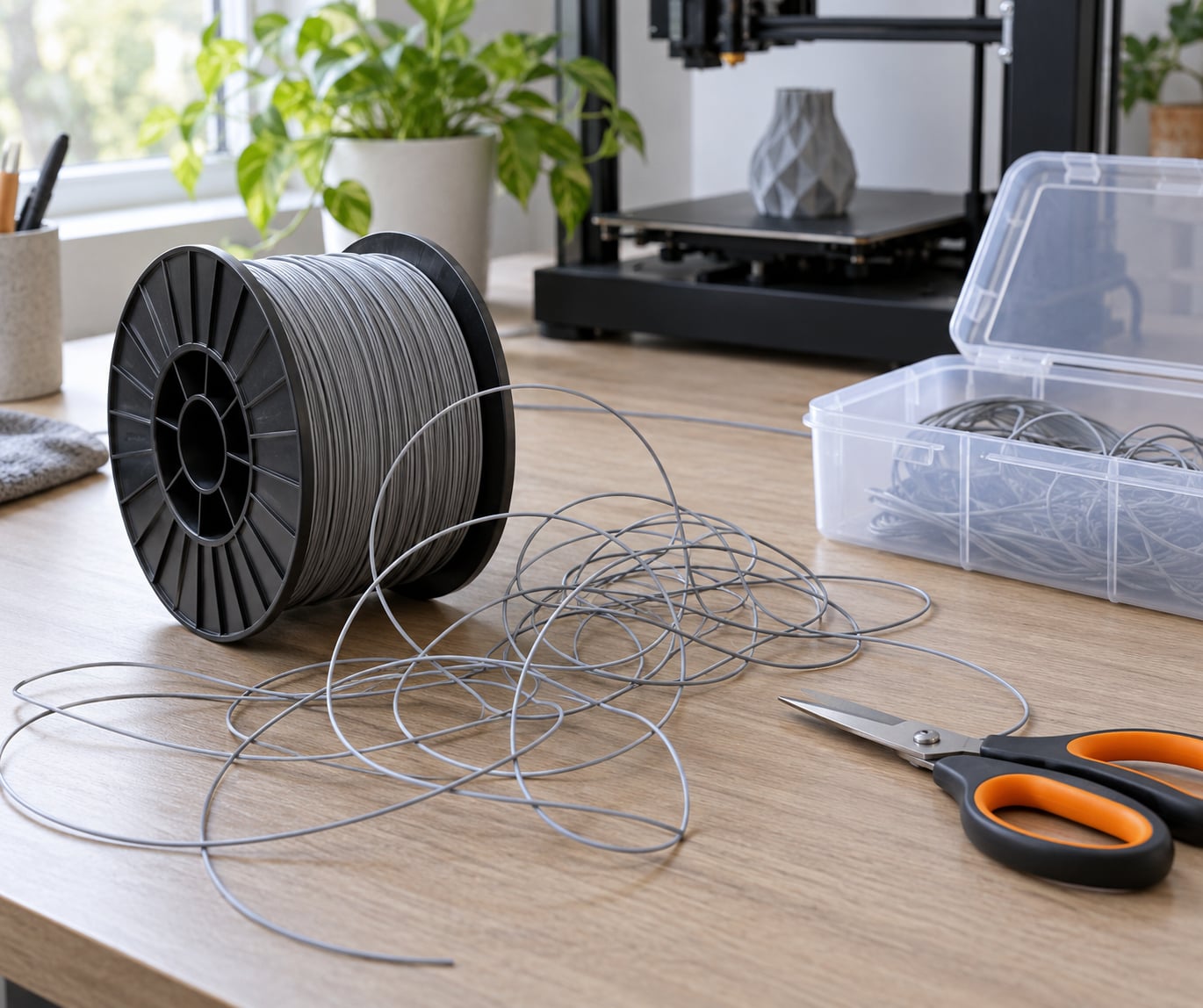
To fix tangled filament on a spool, find the free end, follow it back until you see where it passes under another wrap, lift that crossing point, and pull the filament out from underneath it. Then re-seat the end on top of the spool and clip it or thread it through a rim hole so it cannot slip under again.
That takes about five minutes with a flat surface and good light. Most people discover the problem the hard way instead, when the extruder starts clicking mid-job and hours of printing evaporate. Sort it out on the bench, not halfway through a 12-hour print.
What follows is the ordered procedure I use, plus what is actually going on physically when filament tangles, and the storage habits that stop it happening again. Updated for 2026.
Table of Contents
- 1What You Need
- 2Step-by-Step: How to Fix Tangled Filament on a Spool
- 3How to Find the Tightest Tangle
- 4How to Rewind the Filament Without Creating More Tangles
- 5How to Fix a Tangled Spool Mid-Print
- 6Why Tangled Spools Happen
- 7Common Mistakes When Fixing Tangled Filament
- 8Frequently Asked Questions
- 9Can a tangled filament spool be saved?
- 10What causes filament tangles on a spool?
- 11Does a filament respooler fix a tangle?
- 12Why does my printer say filament ran out when there is plenty left?
- 13Can I untangle a TPU spool without cutting it?
- 14How do I stop filament tangling in the future?
- 15Conclusion
What You Need
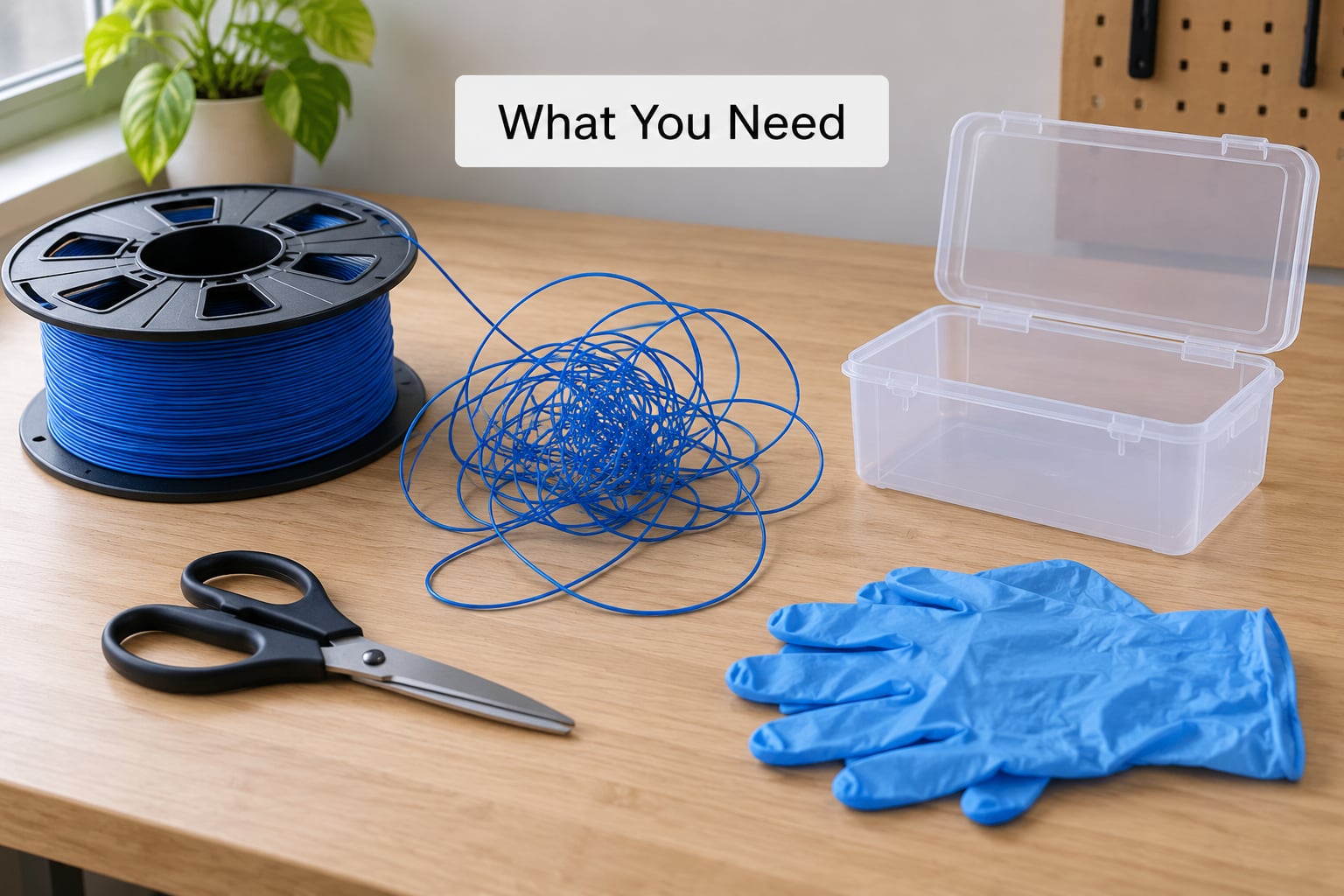
Lay out your kit before you touch the spool. Untangling on a cluttered desk is how filament picks up grit and ends up in the extruder gears later.
- A flat, clear surface. A table, a sheet of cardboard, a clean floor. You need room to lay filament straight.
- Diagonal cutters or sharp scissors. Only for the last-resort cut, but have them ready.
- Disposable gloves. Essential for TPU, which grips skin and picks up oils. Nice to have for everything else.
- A spool with rim holes. Not always possible mid-job, but a rim hole or a clip is how you stop the tail dropping under again.
- A storage container or box. Somewhere to park the free end if it is too long to clip neatly.
- Good lighting. The crossing point is often a single strand sitting under one wrap, and you will not spot it in a dim corner.
Worth adding: a small piece of tape. Once you have freed the end, taping it to the outside of the flange stops it wandering while you re-seat it.
Step-by-Step: How to Fix Tangled Filament on a Spool
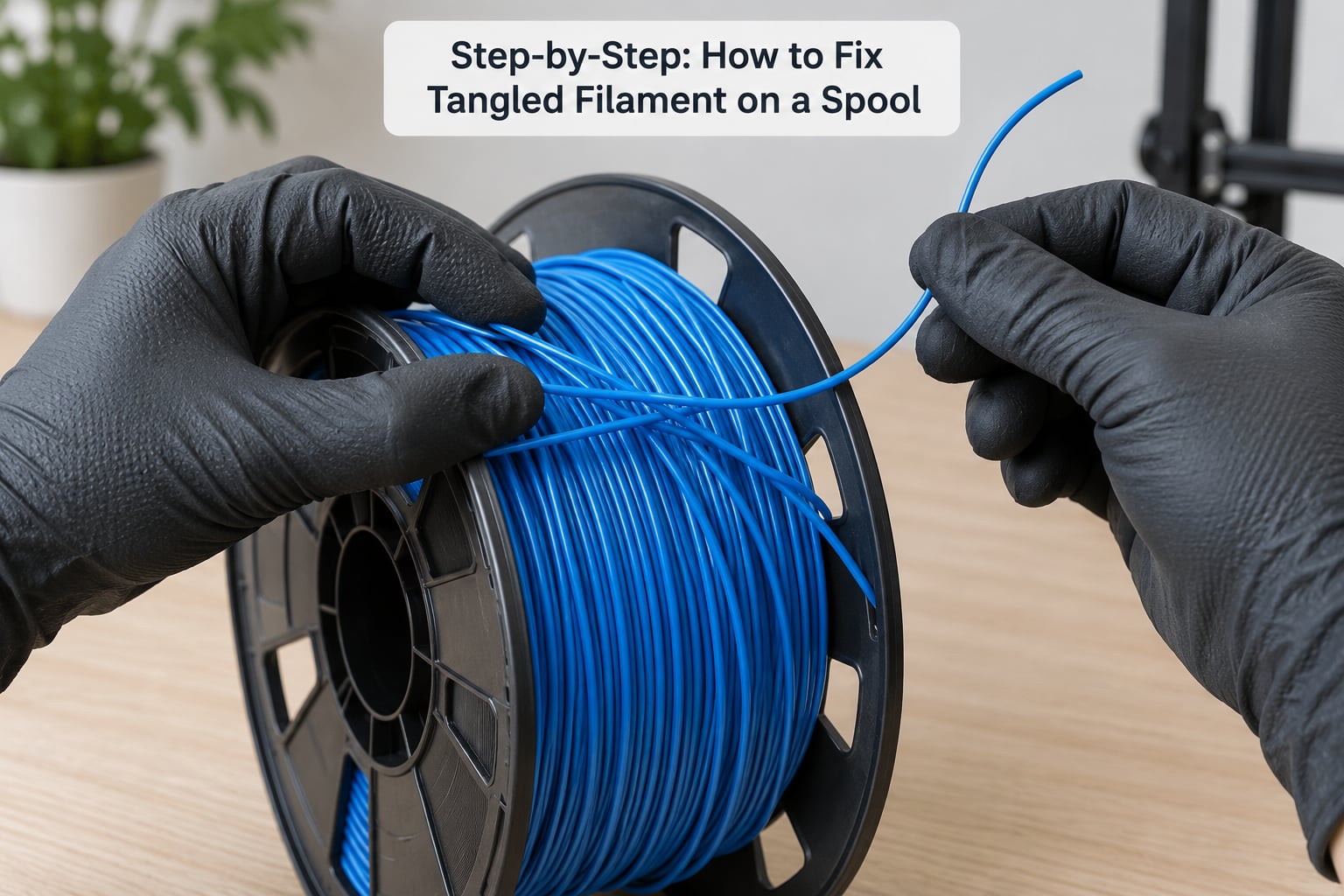
Work through these in order. Skipping to step five without finding the crossing is why people end up cutting filament they could have saved.
1. Stop the printer feeding filament. If a print is running, pause it. On an AMS unit, the auto-retract may have already pulled filament back into the housing, so check what the machine has actually done before you touch the spool.
2. Take the spool off the holder and set it on a flat surface. Do not try to untangle it while it is still mounted. You need to rotate the spool by hand and feel the filament tension, which you cannot do with a holder in the way.
3. Find the free end and secure it. If the tail is clipped or threaded through a rim hole, note where. If it is loose, clip it or tape it to the flange so it cannot slip under another wrap while you work.
4. Follow the free end back toward the spool. Trace the strand with your fingers, layer by layer, until the filament passes under something instead of over it. That point is the tangle.
5. Lift the crossing point gently. Use a fingernail or the tip of a small screwdriver to lift the upper strand. Pull it toward you and up, not sideways. The filament underneath should come free as one continuous length.
6. Pull the loose length clear. Once the strand is no longer trapped, draw the whole run of filament out to the side in a straight line. Let it rest on the surface a moment and watch whether it lies flat or keeps curling. Curling means there is another crossing further in.
7. Re-seat the end on top of the wrap. Lay the free end across the outermost wraps so nothing crosses over it. Clip it, tape it, or thread it through a rim hole. Whatever you do, the end sits above every other wrap, never under one.
8. Test the spool before you print. Lift the filament and let the spool turn under light tension. It should rotate freely with no catching, no clicking, and no sudden resistance. Give it two full turns in each direction.
If it passes that test, load it. If the spool snags on the second turn, there is a second crossing you have not found yet.
How to Find the Tightest Tangle
The tightest point is where the filament passes under another wrap, usually on the outermost layers. Because that is the layer paying out first, it is the part you feel as resistance before the print even starts.
Run your fingers along the strand from the free end and feel for the place it stops being a smooth top surface. The filament there will dip under a neighbouring loop and disappear from view. Rotate the spool a quarter turn and check again from a different angle, because the crossing often sits on the side away from you.
One warning: do not force a section that feels stretched or flattened. Filament that has been pinched under a tight wrap for months can be kinked, and pulling hard there snaps it or leaves a weak spot that will snap later inside the extruder.
The most-upvoted answer on the Bambu Lab community forum makes exactly this point, that the fix is difficult to explain in text, which is why a photo of the crossing point is worth more than any description. Look for the strand that runs under a neighbour rather than alongside it.
How to Rewind the Filament Without Creating More Tangles
Rewinding onto a clean spool is worthwhile when the winding is sloppy, the layers are loose, or you have been handling a lot of filament. It is not a fix for a knot, and this is the part most advice gets wrong.
On the Bambu Lab forum, the highest-rated reply makes the point plainly: a respooler will not help, because the filament will simply tangle again in the respooler. If a length of filament has a crossing in it, winding it onto a new spool preserves the crossing. Clear the crossing first, or accept the new spool will fail the same way.
With the strand verified clear, rewind like this:
- Mount the empty spool on a spindle and keep light tension on the filament the whole time. Slack is what causes nesting.
- Guide it around the hub and let it lay against the previous wrap rather than on top of it.
- If you see the material start to cross itself, stop cranking, reverse the direction of rotation, and re-align before continuing.
- Leave a tail long enough to reach your printer comfortably, plus a little slack, once the spool is mounted. Too little and the feed path drags.
Hand-rewinding a full 1 kg spool takes a while. That is exactly why experienced users rewind every spool they finish as a habit, not as a repair.
How to Fix a Tangled Spool Mid-Print
If the printer has already flagged filament runout, the spool may be fine. On AMS-style multi-spooler units, a snag raises strain on the filament path and triggers a false runout, then the unit retracts the strand, and the print stalls in mid-air a few millimetres thick. Users on the Bambu forum describe exactly this sequence.
Pause the job, unload the filament, and free the crossing on the bench using steps 4 to 7 above. Resume with the same spool if the test turn is clean. If the same spool jams twice on one print, treat it as a bad winding and rewind or replace it.
If the filament has already been pulled into the extruder gears, you are dealing with a different job. Power the machine off, release the extruder clutch or the Bowden coupler, and back the filament out by hand rather than pulling it, which chews the teeth of the drive gears.
Why Tangled Spools Happen
Most filament tangles start when the free end slips under another loop on the outermost wraps, usually because the tail was left loose, the wrap is not tight enough to hold it, or the filament was handled while the spool was turning.
Three physical causes account for most of it. The first is a dropped tail: a loose end left dangling simply lies on the workbench, and the next time the spool rotates it lands on the wrong side of a wrap.
The second is a width gap, and it is the least obvious. A refill spool wound narrower than the space between the spool flanges leaves a channel where the free end can fall and catch. That single gap explains why some brands tangle repeatedly for one user and never for the next, and it is the fix Bambu Lab community members land on: eliminating the gap between the refill and the spool wall.
The third is factory cascade winding, where the outer layers are laid slightly unevenly and the free end is not fixed at the rim. That one is a manufacturing defect rather than anything you did, and it is worth raising with the manufacturer, since a faulty-spool replacement request is the route people on the Bambu forum recommend when a spool tangles no matter how carefully it is stored.
It helps to separate a genuine knot from a cross-wind. A cross-wind is one strand crossing diagonally over its neighbours in a neat line, and most printing happily. A loose overhand knot is one strand wrapped around another, and that is the thing that snags. The difference is whether the filament sits under a loop or simply lies across the top of one.
Common Mistakes When Fixing Tangled Filament
Pulling hard on a stuck length. Tension is the enemy here. A length pulled taut stretches and flattens, and the weak spot fails later in the extruder. Lift the crossing point instead, then pull. If it will not release with light force, it is a knot, not a cross-wind, and it needs the cut.
Cutting the wrong strand. Cutting across the wrap instead of the small loop leaves a short tail trapped under the new end, and you will be back where you started. Free the crossing with your fingers first, and only then decide whether a cut is needed.
Using heat to loosen a knot. A heat gun or a warm filament path softens the outer surface while the inside stays stiff, and the strand deforms into a flat ribbon that feeds unevenly. If anything needs warming, it is the whole spool at room temperature, not the knot.
Handling filament with bare, dusty hands. Skin oils attract dust, and dust in the extruder causes consistent under-extrusion. Gloves are not fussiness; they are the cheapest insurance on a spool you plan to use again.
Forcing a tight knot open. If a knot will not release with a fingernail lifting the strand, you will not do it with fingers. Skip to the cut.
Leaving the tail loose again after the fix. Half the tangles people meet twice are the same spool, because the end was put back down the same way. Clip it, tape it, or use the rim hole. This is the entire prevention section, honestly.
Storage is the other half. Keep spools on their flanges, never tipped on their side, so loose loops cannot fall over each other. Keep them wound tightly, and keep them dry if the material absorbs moisture, which changes tension and lets layers settle.
Frequently Asked Questions
Can a tangled filament spool be saved?
Almost always, yes. The tangle is nearly always on the outermost wraps and is a loose overhand knot rather than a true knot, so it can be lifted and freed without cutting. Follow the free end back to the crossing, lift the strand above it, pull the length clear, and re-seat the end on top of the wrap. Only cut when a knot will not release with light finger pressure.
What causes filament tangles on a spool?
The free end slips under another loop, usually because the tail was left loose, the wrap is not tight, or the filament was handled while the spool was turning. A refill spool narrower than the space between the spool flanches also leaves a gap where the tail can drop and catch. Even factory winding on a few spools leaves the outer layers uneven enough to snag.
Does a filament respooler fix a tangle?
No, not if a crossing is still in the strand. Rewinding transfers the tangle to the new spool, and a respooler makes this more likely because the material is under less control. Rewind only after you have confirmed the filament lies straight with no crossing. If it snags again during rewinding, stop, reverse the rotation, and realign before carrying on.
Why does my printer say filament ran out when there is plenty left?
A snag on the spool raises strain in the filament path, and a multi-spooler unit such as the AMS reads that strain as a runout. It then retracts the filament and pauses, so the print stalls in mid-air even though the spool is nearly full. Pause the job, unload the filament, free the crossing on the spool, and resume once the spool turns freely by hand.
Can I untangle a TPU spool without cutting it?
Yes, but wear gloves, because flexible filament grips skin and picks up oils fast. TPU is the hardest material to untangle since it stretches and clings rather than holding a crisp loop, so work it slowly and separate one crossing at a time. If a section has stretched to a flat ribbon, cut it out and rejoin rather than printing with it.
How do I stop filament tangling in the future?
Clip the tail or thread it through a rim hole so it cannot slip under a wrap, and always re-seat the end on top of the outermost layers. Store spools on their flanges rather than on their sides so loops cannot fall over each other, keep the winding tight, and rewind after printing rather than rewinding only when something jams. TPU and refills tangle more often than anything else.
Conclusion
Stop the printer feeding, secure the loose end, follow it back to the crossing point, and lift the strand above it rather than pulling on the length. That single move fixes the overwhelming majority of tangled filament spools, usually on the outermost wraps.
Replace the filament rather than reusing it when a section is kinked, frayed, flattened into a ribbon, or will not release without a cut. A spliced join is fine as long as the new end is re-clipped to the outside of the wrap, and the whole spool goes back on its flanges, dry, with the tail clipped or threaded through a rim hole.